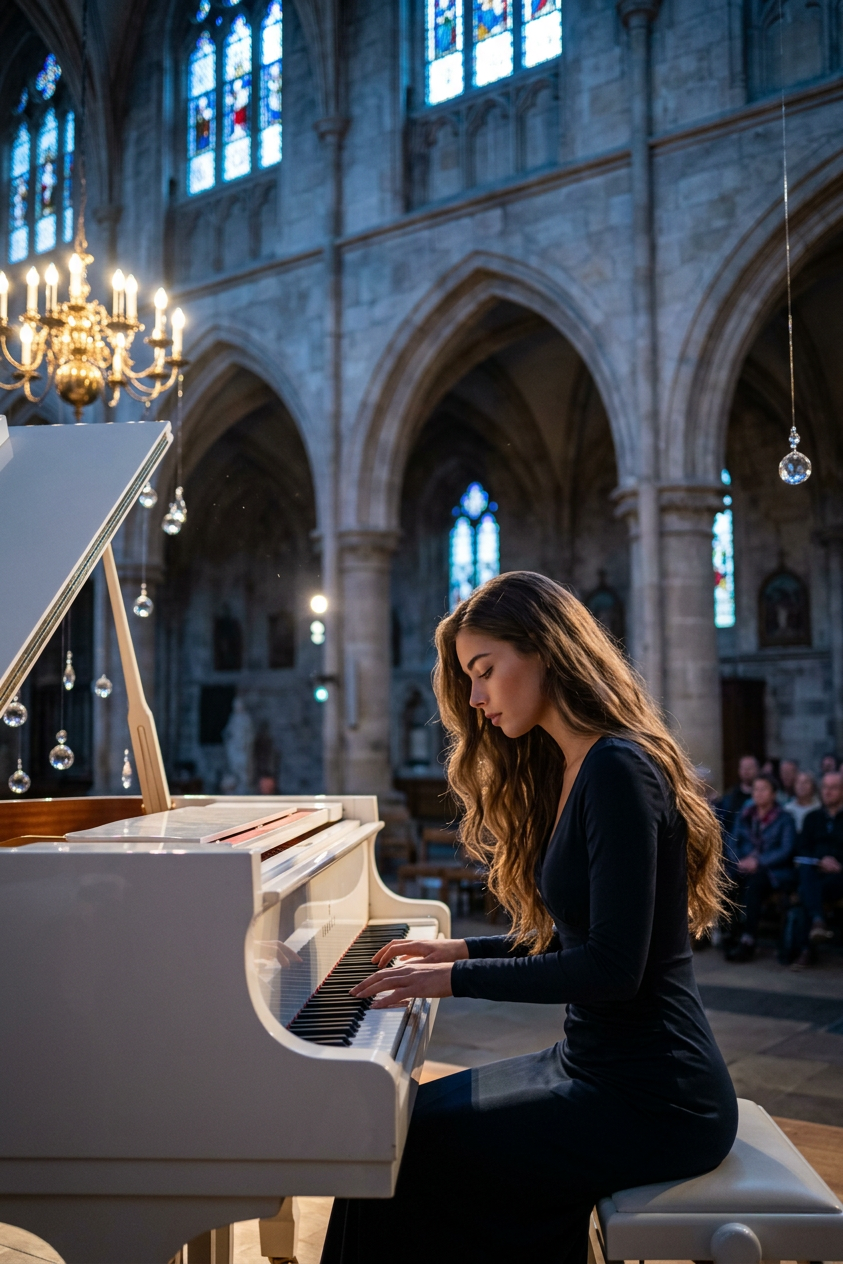
Moonlit Nocturne
- Model
- Nano Banana 2
- Image
- 843 × 1264 px
Prompt
Inside a vast Gothic cathedral transformed into an intimate performance sanctuary, a 20-year-old subject with fair, cool-toned skin and Northern European features sits alone at a white grand piano beneath an ornate crystal chandelier. Leaning gently into a single haunting phrase, the subject is illuminated by icy blue moonlight streaming through high windows while the surrounding nave dissolves into deep indigo shadows. Suspended crystal ornaments drift almost imperceptibly overhead, scattering tiny star-like reflections across polished stone floors and the lacquered piano, creating the feeling of a cinematic painting where music is suggested only through shimmering light and quiet stillness. The camera observes from a low downstage-left perspective in a wide three-quarter composition, using subtle telephoto compression to emphasize repeating Gothic arches, towering columns, and the immense scale of the cathedral while maintaining generous negative space. Captured in photorealistic live-action on an ARRI Alexa Mini LF with anamorphic prime lenses (primarily 75mm with occasional 35mm wide coverage), featuring delicate oval bokeh, subtle horizontal lens flares, gentle edge softness, shallow-to-moderate depth of field, and fine Kodak-inspired cinematic film grain. Lighting combines cool directional moonlight, soft blue floor bounce, restrained warm chandelier highlights, and delicate rim lighting that sculpts the subject and piano while preserving rich shadows. The palette is dominated by monochromatic blues, indigos, desaturated silvers, and icy cyan highlights with crushed blacks and soft pastel-like bloom, evoking the melancholy elegance of Neo-Gothic romance, classical European architecture, and contemporary arthouse cinema. Silk satin, soft tulle, polished stone, lacquered wood, and cut crystal are rendered with highly tactile realism, accompanied by drifting dust, subtle atmospheric haze, and gentle highlight diffusion for a painterly live-action finish. Photorealistic practical cinematography, physically accurate lighting, premium cinematic color grading, and no CGI appearance. The appearance, ethnicity, clothing, and all other characteristics of the subject are determined only by the subject description and should never be inferred or modified beyond what is explicitly specified.
Any aspect ratio
Overview
Discover the power of transforming everyday imagery into cinematic masterpieces with the "Moonlit Nocturne" template, a sophisticated option within our AI Image Editor. This template utilizes the advanced capabilities of the nano-banana-2 model to deliver stunning, photorealistic results.
What It Does
The "Moonlit Nocturne" template takes any photo and infuses it with a dramatic, Gothic-inspired scene. By leveraging professional-grade lighting and color grading techniques, it offers the same level of detail you would expect from an AI Photo Relighting tool, elevating your images to new artistic heights.
Who It's For
Ideal for artists, photographers, and creators who emphasize storytelling through imagery, this template is crafted for those who aim to evoke strong emotional responses in visual media. It's perfect for those familiar with cinematic concepts or anyone looking to add a highly sophisticated look to their photo projects.
Summary
"Moonlit Nocturne" is a go-to choice for anyone seeking to create atmospheric images with a touch of romance and grandeur. It exemplifies how the AI Image Generator can seamlessly blend art and technology to produce breathtaking visuals.
How to Use
Choose a Template

Customize Your Elements

Generate Your Image

Use Cases
Artistic Portfolios
- Showcase dramatic depth
- Highlight technical skills
Film and Video Stills
- Replicate the look of arthouse cinema
- Utilize in promotional materials
Digital Art
- Achieve realistic lighting and textures
- Enhance visual narratives
Best Practices
Detailed Input Prompts
Use detailed prompts to specify lighting, mood, and composition, allowing the AI to better capture your vision.Layered Textures
Incorporate layered textures and nuanced color palettes to fully utilize the template's capabilities.Emphasize Scale
Highlight architectural and scale elements to maximize the Gothic ambiance.