x-files-crime-scene
Overview
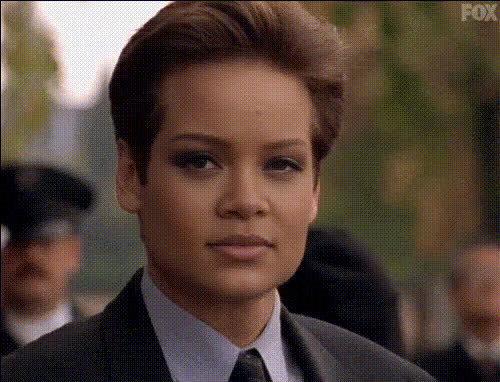
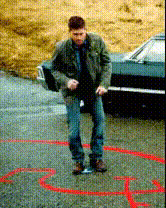
The X-Files Crime Scene template invites you to dive into the thrilling world of mystery and investigation. With this Video Face Swap tool, directly swap faces in your footage, transforming your actors into the iconic detectives of the X-Files. Perfect for filmmakers and content creators looking to add a cult-classic twist to their projects.
What It Does
This template allows you to replace one or more faces in a video scene with other faces, capturing the iconic aesthetic of X-Files crime investigations. Importantly, it maintains the original video's motions and expressions, giving your project a seamless look. It's ideal for creating parodies, fan films, or themed promotional content.
Who It's For
Designed for filmmakers, content creators, social media influencers, and educators, this template serves anyone who wishes to experiment with face-swapping technology to produce engaging and innovative videos. Whether you're producing educational content, satirical sketches, or promotional material, this tool adds a creative edge.
Summary
Transform your video content into an X-Files detective story with the Video Face Swap template. Easily change faces in any scene while preserving the original action and emotion. From parodies to digital storytelling, this tool offers countless creative opportunities. Explore similar tools like the AI Talking Photo or the AI Video Generator for even more creative possibilities.
How To
Select the Template

Configure Your Inputs

Generate and Save

Use Cases
Parody Videos
- X-Files themed skits
- Celebrity face swapping
- Humor-driven content
Fan Films
- Recreate X-Files episodes
- Fan film festivals
- Personalized storytelling
Educational Content
- History reenactments
- Interactive storytelling
- Visual learning aids
Best Practices
Choose High-Quality Source Material
To achieve the best results, start with high-resolution video files. This ensures that facial features are clearly captured and transitions are smooth.Maintain Consistent Lighting
Face swaps work best when lighting is consistent between the original and replacement faces.Test Different Faces
Experiment with various face options to find the best fit for the scene, enhancing realism and creativity.