Template preview

wicked-witch-melting

Video Face Swap
1 clip
0 uses

Any aspect ratio

Tags

transformations

Overview

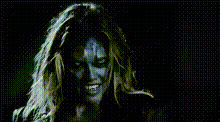
Step into a classic cinematic moment with the Wicked Witch Melting template. This Video Face Swap lets you dive into the dramatic scene where the Wicked Witch meets her watery end. Perfect for those who want to transform their video content with a spooky but fun twist.

What It Does

The Wicked Witch Melting template expertly overlays your face onto the iconic scene with precision. Simply upload your footage, select your preferred face swap options, and watch your transformation. The ability to swap faces offers a unique opportunity to personalize and revamp classic film clips into engaging, individual creations.

Explore a wider range of possibilities by integrating this with tools like our AI Image Editor and AI Voice Changer for a comprehensive editing experience.

Who It's For

This template is designed for content creators, social media enthusiasts, and film buffs who want to infuse their projects with a cultural touchstone. Whether you're making GIFs, fun video content for social media ads, or just want to impress your followers, this template provides the tools you need.

Summary

Transform your favorite videos with the Wicked Witch Melting template, a part of our Video Face Swap suite. Easy customization and integration with various tools ensure a magical outcome every time.

How-To

    01

    Choose

    Open the template by navigating to the Video Face Swap section on Magic Hour. Locate the Wicked Witch Melting template.
    02

    Customize

    Upload the video you want to transform. Select the face you wish to swap into the scene. Adjust the placement and size for the best fit.
    03

    Generate

    Click 'Generate' to process your face swap video. Once complete, download the transformed video to save or share.

Use Cases

📱

Social Media Content

Boost engagement by creating memorable content for platforms like Instagram, TikTok, and Facebook.
🎬

Fun Projects

Use the template for personal entertainment or group projects, adding a personal touch to well-known movie scenes.
📈

Marketing Campaigns

Enhance your marketing materials with a unique, nostalgic video to capture audience interest.

Best Practices

  • High-Quality Footage

    For best results, use high-resolution videos that match the lighting and angle of the wicked witch scene.
  • Adjust for Realism

    Carefully adjust the face placement and size to make the transition seamless for viewers.
  • Combine Tools

    Pair with the AI GIF Generator to create easily shareable content from your video swaps.
Frequently asked questions

This template supports standard video file formats, making it easy to upload and process your footage.

Yes, you can manually adjust the face alignment to ensure that it fits perfectly within the scene.

Absolutely, for example, you could use the AI Voice Changer to change the audio along with the visual transformation.

Processing time varies based on video length and quality but typically completes within minutes.

More Like This

Girl With Magic Trick
1
Girl With Magic Trick
skeptical-blonde-woman-face
tamar-braxton-eyeroll
vampire-scream-closeup
1
vampire-scream-closeup
wendy-williams-face-swap
wendy-williams-smiling
party-ready-face-swap
supernatural-happy-dance
teebelair-marajestee
waving-woman-on-couch
wendy-williams-smiling-face
werewolf-makeup-closeup

Face Swap Video