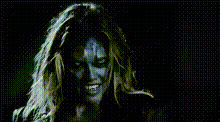
werewolf-makeup-closeup
Overview
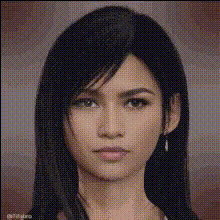
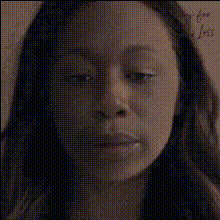
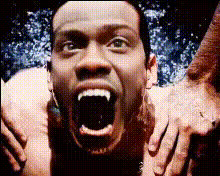
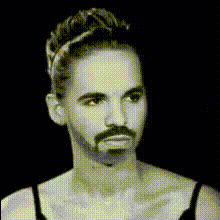
Step into the realm of fantasy with the Werewolf Makeup Closeup video template. This template transforms the mundane into the monstrous, perfect for storytellers and filmmakers looking to add a spine-chilling touch. Whether it's for a horror film or a captivating teaser, this tool merges reality with fantasy.
What It Does
The Werewolf Makeup Closeup template uses Video Face Swap technology to apply a detailed werewolf makeup effect to your footage. Once integrated with your media, this template delivers professionally crafted visual effects that are ideal for creating dramatic and engaging content.
To expand your capabilities, explore additional transformations with our Body Swap and Face Swap products to diversify your creative projects.
Who It's For
This template is perfect for filmmakers, social media content creators, and anyone seeking to add a professional horror effect to their projects. Designed with both amateurs and professionals in mind, this tool brings high-quality transformations to any skill level.
For creators focusing on visual narratives, you might find our AI Video Generator and Text to Video products beneficial for further enhancing storytelling elements.
Summary
With the Werewolf Makeup Closeup template, achieving a high-impact werewolf transformation for your visual content is straightforward and impactful. It's a prime choice for those who want to create memorable and visually stunning narratives efficiently.
To enhance your experience, explore AI Image Editor for post-effects and corrections.
How To
Choose Template

Customize Your Video

Generate and Download

Use Cases
Horror Film Productions
- Seamless integration into horror narratives
- Professional effects without a makeup team
Social Media Content
- Viral potential with unique transformations
- Enhance storytelling elements
Virtual Halloween Events
- Stand out in live streams
- Memorable audience interaction
Best Practices
High-Quality Source Videos
For the best results, upload high-resolution videos, as this will make the transformation effect more convincing.Lighting Conditions
Ensure your source video has even lighting to avoid shadows that may interfere with facial recognition and adjustments.Complement with Other Effects
Combine this template with tools like the AI Image Editor for additional post-processing enhancements.