wendy-williams-smiling-face
Overview
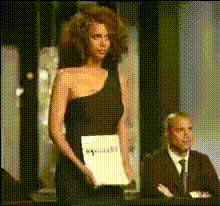
Capture the iconic smile of Wendy Williams with this Video Face Swap template, allowing you to create humorous and engaging content. Whether you're aiming to craft viral memes or entertaining social media clips, this template provides the perfect canvas for injecting some joy into your videos. Transform any face in your video into Wendy's unforgettable grin.
What It Does
The template swaps facial expressions with Wendy Williams' smiling face in any video, using advanced AI technology. This tool ensures that the face alignment and skin tone match seamlessly, resulting in realistic and lively outputs. Ideal for both personal amusement and professional meme creation.
For a tailored experience, you can explore more options like the Face Swap, which offers additional transformations, or the Image to Video for converting photos into animated clips.
Who It's For
This template is perfect for social media enthusiasts, meme creators, and marketers looking to add a humorous touch to their content. It's particularly useful for those in marketing, wanting to generate buzz with comedic video promotions. Teachers and trainers can also use it to lighten up educational content. Check out the AI Meme Generator for more meme-making capabilities.
Summary
With the Wendy Williams Video Face Swap template, the opportunities for creativity are vast. Perfect for creating engaging content that can spread quickly across social media platforms. By incorporating Wendy's signature smile, your videos are sure to stand out. To explore further, consider using tools like the AI Voice Changer to match voices with the facial transformations for complete storytelling.
How-To
Choose Your Template

Customize the Swap

Generate and Download

Use Cases
Social Media Content
- Boost engagement with humorous memes
- Create viral challenges
Marketing Campaigns
- Utilize in-product ads
- Enhance email marketing efforts
Educational Content
- Add humor to training videos
- Make content more approachable
Best Practices
Select High-Quality Video
Ensure the base video you choose is of high quality to make the face swap appear more realistic.Adjust Skin Tones
Use the customization tools to match skin tones and lighting conditions for a better blend.Experiment with Angles
Try videos with different face angles to see which provides the best results for the swap.