twin-brothers-dressed-alike
Overview
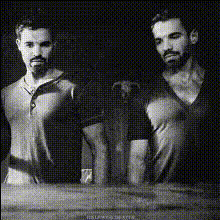
Meet the "Twin Brothers Dressed Alike" template—a playful way to use Video Face Swap for fun and creative transformations. Whether you're looking to pull off a delightful family prank or enhance your social media with humorous content, this template makes it easy to swap faces and create memorable videos.
What It Does
This template uses advanced technology to perform a Video Face Swap, allowing you to switch faces between two characters in a video. Imagine recreating scenarios with twin brothers dressed alike, where each brother takes on a new persona. Integrate seamless face swaps with existing footage to achieve expected results.
Explore more possibilities with our Face Swap tools, and see how you can apply these transformations to a variety of contexts for endless entertainment.
Who It's For
Ideal for creators, social media influencers, and families wanting to produce engaging content with a funny twist, the "Twin Brothers Dressed Alike" face swap is perfect for those familiar with Video Face Swap techniques. Whether you're creating content for social media ads or simply documenting family fun, this tool is versatile and accessible for users of all skill levels.
Summary
The "Twin Brothers Dressed Alike" template offers a unique twist on video editing with its advanced Video Face Swap functionality. Create hilarious, heartwarming videos by swapping faces in a creative and seamless manner. To explore more transformative editing tools, check out our suite of products designed to elevate your content.
How to Use
Choose the Template

Customize Your Inputs

Generate and Download

Use Cases
Social Media Content
- Engaging tiktok challenges
- Instagram story content
Family Videos
- Pranks between siblings
- Holiday family reunions
Marketing Campaigns
- Brand storytelling
- Campaign character recreation
Best Practices
Choose Clear Footage
Ensure the video footage is well-lit and has clear, unobstructed views of both faces for the best swap results.Align Properly
During customization, align the face boxes properly for each character to ensure a natural-looking swap.Use High-Quality Source Material
High-quality video inputs result in more convincing and seamless face swaps.