two-men-standing-together-smiling
Overview
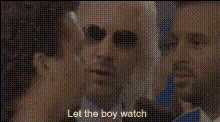
The Two Men Standing Together, Smiling Face Swap template brings a new level of personalization and fun to your videos. This Video Face Swap template allows you to change the faces of two friends in a clip, making for entertaining and unique moments. It's your go-to tool for quick transformations in a collaborative setting.
What It Does
This template takes a video of two people standing in close proximity, smiling, and swaps their faces with those you choose. The Face Swap technology seamlessly integrates chosen facial features into the existing video, creating an amusing effect. It's ideal for crafting humorous clips or personalized video experiences.
Who It's For
Designed for video editors, social media content creators, and anyone interested in video transformations, this template is easy enough for beginners to use yet powerful enough for advanced projects. Whether you're making content for fun or aiming to enhance your brand's personality, this tool is perfect for those who love to experiment with digital effects. Social media marketers and meme creators will find this especially useful.
Summary
The Two Men Standing Together, Smiling Face Swap template offers a straightforward and effective way to modify video content through face swaps. It's built to cater to diverse needs, from casual fun moments to professional content creation. Alongside other tools like the Image to Video and AI GIF Generator, it becomes a part of a dynamic toolkit to fuel your creative projects.
How To
Choose Your Template

Customize Your Video

Generate and Save

Use Cases
Creative Promotions
- Add humor to social media campaigns
- Make promotional videos memorable
Social Media Content
- Create viral TikTok and Instagram content
- Adjust family videos for special occasions
Personalized Gifts
- Swap faces in family videos for laughs
- Create surprise birthday clips
Best Practices
Choose Clear Images
For the most accurate face swap, ensure the faces you upload are clear and well-lit.Keep It Funny and Light
Humor works best; use this tool to bring a smile to someone's face.Experiment with Different Scenarios
Try swapping faces in various settings to see what produces the best results. Utilize the most popular templates for inspiration.