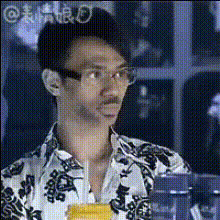
Man In Shirts
Overview
Transform your videos with the Man In Shirts Video Face Swap template. This tool lets you alter facial features in videos by replacing them with a different face, all while keeping the focus on a person dressed in various shirts. Expand your creative potential by generating customized video content quickly and efficiently.
What It Does
The Man In Shirts Video Face Swap template allows you to swap faces on individuals featured in video content. It works by replacing the original face in the video with a new one while preserving the context, like the attire—such as shirts—in the scene. This facilitates a wide range of applications from entertainment to professional video editing.
Combine the capabilities of our Face Swap products with the dynamic power of the Image to Video offerings for even more possibilities.
Who It's For
This template is ideal for video editors, content creators, social media managers, and marketing professionals looking to add creative flair to their projects. If you're involved in making viral videos or crafting personalized messages, this template can provide the edge needed to stand out.
Whether you're a newcomer or an industry veteran, explore the spectrum of transformations with our Body Swap products for diverse video edits.
Summary
The Man In Shirts template adds a new dimension to video face swapping by emphasizing the attire, in this case, specifically shirts. It integrates smoothly with your workflow, offering quick and professional-quality results. Explore our other templates, like the AI Video Generator, to widen your toolkit.
How To
Choose the Template

Customize Your Video

Generate and Download

Use Cases
Influencer Content
- Generate fun, personalized messages.
- Create parody videos with ease.
Marketing Campaigns
- Ensure brand alignment with face swaps.
- Craft memorable experiences.
Corporate Communications
- Add humor to training videos.
- Personalize executive messages.
Best Practices
Choose High-Quality Video
For best results, always start with high-resolution video to ensure the swapped face blends seamlessly.Pay Attention to Lighting
Ensure the lighting conditions on the swapped face match the original video to achieve a more natural look.Match Skin Tones
Select faces with similar skin tones to the original for the most realistic swaps.