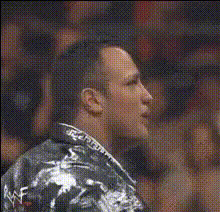
the-rocks-face-closeup
Overview
Experience the power of AI with our Video Face Swap template, designed to create seamless transformations by placing The Rock's iconic close-up onto your selected videos. This tool allows you to create engaging and dynamic content that's perfect for social media or personal entertainment.
What It Does
The Video Face Swap template leverages sophisticated AI models to swap faces in your video content with impressive accuracy. Utilizing Face Swap technology, it seamlessly integrates The Rock's famous look into your own videos, offering realistic and entertaining results.
Who It's For
This template is ideal for content creators, social media enthusiasts, and anyone looking to spice up their video projects. Whether you're producing content for TikTok videos or crafting social media ads, this face swap tool helps you create captivating and humorous content that stands out.
Summary
Transform your video content with Video Face Swap, using a well-known face like The Rock's to deliver an engaging visual experience. It's a fun, user-friendly tool that broadens your creative possibilities and elevates your video projects.
How-To
Choose Your Template

Customize Your Input

Generate Your Video

Use Cases
Social Media Engagement
- Boost follower interaction
- Create viral content
Personal Entertainment
- Surprise and entertain your circle
- Create custom clips for fun
Marketing Campaigns
- Stand out in your ad campaigns
- Engage audiences with humor
Best Practices
Choose the Right Video
Select videos with clear, well-lit footage for the best face swap result. Videos with steady shots ensure more accurate swaps.Perfect the Alignment
Use the adjustment options in the customization phase to align faces perfectly for a seamless swap.Review the Output
Always preview the final video to make necessary adjustments before finalizing the download for the best quality.