the-rock-wwe-close-up
Overview
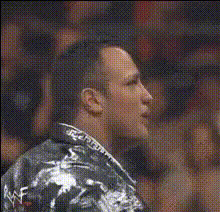
Step into the WWE ring with our The Rock WWE Close-Up Video Face Swap template. This template allows you to transform your or your friends' faces into The Rock's iconic expression during a close-up wrestling moment. Ideal for creating laugh-out-loud content, it's a go-to choice for pranksters and digital content creators.
What It Does
The Video Face Swap tool captures and replaces faces in video clips. This template specifically integrates The Rock's dynamic and recognizable close-up into your videos. Use it to generate entertaining clips by swapping faces on a video, making it appear as though you're in the ring ready for action, all while maintaining the original video's quality.
Who It's For
This template is perfect for content creators looking to add humor to their videos. It's also popular among WWE fans, digital pranksters, and social media enthusiasts wanting to stand out with creative and engaging content. If you're working in content marketing or social media management, it's a great tool for generating viral content.
Summary
Whether used for fun or professional projects, the The Rock WWE Close-Up template makes video face-swapping accessible and entertaining. Pair it with other features like the AI Image Editor for enhanced graphics, the AI GIF Generator for dynamic short clips, or the Lip Sync tool for added humor and realism in your edits.
How To
Choose the Template

Customize the Video

Generate the Video

Use Cases
Social Media Content
- Transform ordinary videos into viral content
- Stand out with humorous clips featuring The Rock
Prank Videos
- Surprise friends with a face swap into The Rock
- Add humor to digital challenges
Marketing Campaigns
- Grab attention with unique, entertaining clips
- Drive engagements and shares
Best Practices
Select High-Quality Images
For the best results, use high-resolution images to ensure the face swap looks natural and convincing, like when working with the AI Face Editor.Pay Attention to Lighting
Match the lighting and color tone of your video and face swap image for a seamless blend.Consider Using the Lip Sync Tool
Enhance your video by combining this template with the Lip Sync tool to add voice effects for extra hilarity.