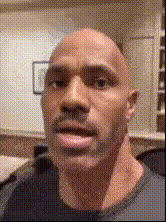
the-rock-with-microphone
Overview
Bring some Hollywood flair to your creative projects with the The Rock with Microphone Video Face Swap template. Perfect for injecting humor or star power into your videos, this template allows you to effortlessly transform everyday footage by swapping in the face of the iconic Dwayne "The Rock" Johnson holding a microphone.
What It Does
This Video Face Swap template lets you alter your clips by overlaying The Rock's face onto any person in your video. Tailored for comedic impact or sensational video content, it's ideal for engaging a wide audience. The simplicity of the Face Swap process ensures that creators of all levels can achieve impressive results without the need for complex software.
Who It's For
Whether you're a social media influencer, content marketer, or simply a fan wanting to produce humorous content, this template serves your needs well. It's a game-changer for creators in entertainment and marketing who leverage viral video content. If you're looking for more tools like this, check out our Image to Video tool for creating engaging visual narratives.
Summary
Capitalize on the popularity of The Rock with this entertaining video transformation. With a few simple inputs, you can create standout videos sure to captivate your audience. Explore other transformative tools like the AI GIF Generator for more creative options.
How To
Choose Template

Customize Inputs

Generate Video

Use Cases
Social Media Content
- Engaging Instagram reels
- TikTok videos with a star twist
Marketing Campaigns
- Unique product launches
- Eye-catching social media ads
Entertainment
- Comedy sketches
- Parody videos
Best Practices
Use High-Quality Video
Start with a clear, high-resolution video to ensure The Rock's features are recognizable and the swap is seamless.Optimize Lighting
Good lighting will accentuate the template effects, making the transformation more realistic.Experiment with Angles
Different angles may offer the best view for the face swap, so don't hesitate to try various positions.