taylor-swift-on-tv
Overview
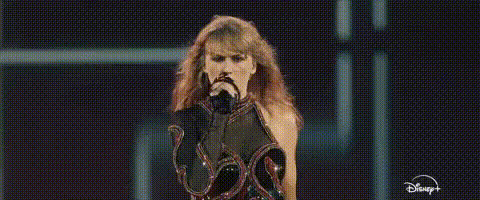
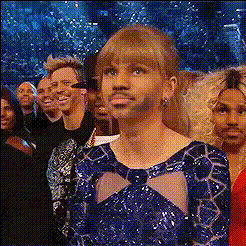
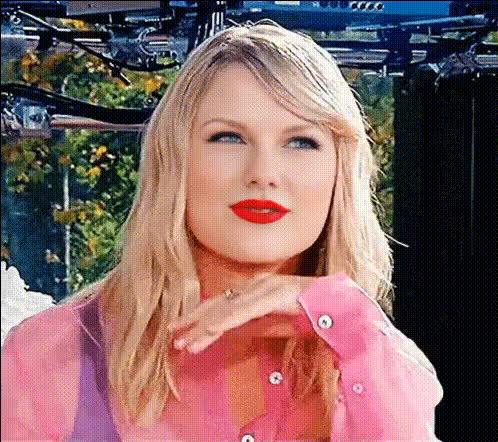
Transform your video content with the "Taylor Swift on TV" face swap template. This tool allows you to replace faces in your video with a flawless representation of Taylor Swift. Ideal for creators looking to capture their audience's attention with creative and engaging content.
What It Does
The "Taylor Swift on TV" template lets you perform a realistic face swap, placing Taylor Swift's face over any person in your video. Leveraging advanced AI models, it ensures high-quality transformations that look both natural and professional. Use this tool to bring star power to your video projects.
Who It's For
This template is perfect for content creators, marketers, and social media influencers who want to add a recognizable face to their work. Whether you're producing music videos, creating memes, or developing marketing material, this face swap tool enables you to deliver captivating content that stands out.
Summary
The "Taylor Swift on TV" template revolutionizes video editing by making it possible to superimpose Taylor Swift's face onto any character in your video. With straightforward customization options, it's ideal for enhancing social media ads or crafting engaging product videos. Discover how you can integrate this powerful tool with other Magic Hour products like our AI Video Generator to elevate your projects.
How To
Choose the Template

Customize Your Video

Generate Your Video

Use Cases
Social Media Campaigns
- Use Taylor Swift's image to appeal to her fanbase.
- Enhance <a href="/use-cases/social-media-ads">social media ads</a> with celebrity presence.
Music Videos
- Attract more viewers interested in celebrity appearances.
- Adapt for <a href="/use-cases/tiktok-videos">TikTok videos</a> for viral potential.
Digital Marketing
- Create memorable <a href="/use-cases/product-videos">product videos</a>.
- Ideal for launching marketing campaigns with a pop culture flair.
Best Practices
Choose High-Quality Videos
For the best results, use high-definition source videos. This will ensure the face swap looks natural and seamless.Adjust Lighting and Settings
Play with lighting and color settings to match Taylor Swift’s face with the video’s original lighting for a convincing edit.Align Face Angles
Ensure that the subject's face in the original video is facing a similar direction to the face swap model for optimal results.