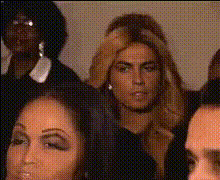
Template preview

tamar-braxton-reaction

Video Face Swap
1 clip
0 uses

Any aspect ratio

Tags

transformations

Overview

The Tamar Braxton Reaction template allows you to inject a dose of humor into any video project by swapping faces with Tamar Braxton. This Video Face Swap template empowers creators to create memorable and entertaining content quickly.

What It Does

This template uses advanced face swap technology to replace faces in videos with Tamar Braxton's likeness. It's perfect for enhancing TikTok videos or generating meme-worthy reactions. Outputs are typically in MP4 format, ready for sharing across platforms.

Who It's For

Content creators seeking to add humor to their videos, social media managers aiming to boost engagement, and anyone interested in using celebrity likenesses for creative purposes can benefit. This tool fits perfectly alongside the Head Swap and AI GIF Generator tools for diverse content creation.

Summary

Transform ordinary videos into extraordinary reactions with the Tamar Braxton Reaction Video Face Swap template. Ideal for quick edits, social media posts, or adding a fun twist to personal projects, this tool is a valuable addition for anyone looking to spice up their video content.

How-To

Follow these steps to use the Tamar Braxton Reaction template.
    01

    Choose Template

    Navigate to the Video Face Swap section under templates. Select the Tamar Braxton Reaction template to start your project.
    02

    Customize Video

    Upload your video and place the marker to swap faces. Use provided options to adjust the placement and size of Tamar Braxton's face for the best fit.
    03

    Generate and Download

    Once satisfied, click 'Generate'. Your video will be processed and available for download in your desired format.

Use Cases

Discover the versatile applications of the Tamar Braxton Reaction template.
📱

Social Media Content

Create hilarious and engaging videos for platforms like Instagram and TikTok.
📢

Marketing Campaigns

Add a fun twist to advertisements and campaigns by using celebrity face swaps.
🎥

Content Creation

Enhance your video production by incorporating celebrity reactions.

Best Practices

Ensure your face swap projects are a success.
  • Match Lighting and Angles

    For the most realistic swaps, ensure your source and face images are well-lit and oriented similarly.
  • Review and Adjust

    Use the customization options to make fine adjustments before generating the final video.
  • Consider Context

    Use face swaps that fit naturally within the scene for a more convincing effect.
FAQs

The template exports in popular formats such as MP4, suitable for most social media and sharing platforms.

Yes, you can customize the position and size of the swapped face to ensure it looks natural.

No special skills are required. The template is user-friendly and designed for quick and easy use.

Yes, the Face Swap tool supports various templates featuring different celebrities.

More Like This

tamar-braxton-enthusiastic-reaction
tamar-braxton-funny-reaction
tamar-braxton-making-a-face
tamar-braxton-reacting-in-shock
tamar-braxton-reacting
tamar-braxton-shocked-reaction
tamar-braxton-eyeroll
tamar-braxton-laughing
tamar-braxton-ok-reaction
tamar-braxton-reacting-strongly
tamar-braxton-shocked-expression
3
tamar-braxton-shocked-expression
tamar-braxton-smiling-playfully

Face Swap Video