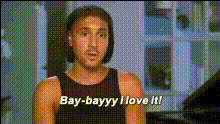
tamar-braxton-enthusiastic-reaction
Overview
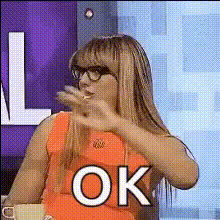
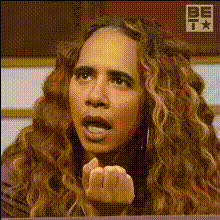
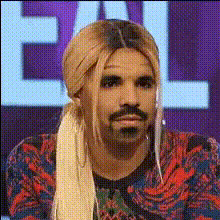
Step into the world of interactive videos with the Tamar Braxton Enthusiastic Reaction template. This dynamic Video Face Swap feature allows you to swap faces into clips featuring Tamar Braxton’s lively expressions. Perfect for creating engaging content, this template brings a new level of fun to your video projects.
What It Does
The Tamar Braxton Enthusiastic Reaction template enables you to insert faces into videos of Tamar showing her trademark enthusiastic reactions. This tool leverages AI to accurately blend and align facial features, ensuring seamless and realistic swaps. The result is a video that looks professional and is sure to capture attention.
Learn more about our comprehensive AI Image Editor to further enhance your videos with precision editing tools.
Who It's For
This template is ideal for content creators looking to inject humor and energy into their video projects. Whether you're an influencer, social media manager, or just someone who enjoys making creative content, the Tamar Braxton Enthusiastic Reaction template will help elevate your video creations.
Combine this with our AI GIF Generator for short, impactful snippets that are perfect for sharing on social platforms.
Summary
In summary, the Tamar Braxton Enthusiastic Reaction template provides a fun and engaging way to create video content with personalized face swaps. Ideal for social media and content creation, it ensures realistic edits and delivers shareable results. Dive into the world of transformation and explore other options like our Video Face Swap products to expand your creative toolkit.
How-To
Choose the Template

Customize Your Inputs

Generate Your Video

Use Cases
Social Media Entertainment
- Create viral moments by swapping faces with Tamar's enthusiastic reactions.
- Use it for Instagram or TikTok to boost engagement.
Promotional Content
- Incorporate face swaps into brand stories to captivate audiences.
- Enhance product launches with lively video clips.
Personalized Messages
- Create custom videos for birthdays or special announcements.
- Turn simple greetings into memorable clips.
Best Practices
Select Clear Images
Use high-resolution images for the face swap to ensure clarity and a realistic look.Experiment with Angles
Try different angles of your uploaded face to see what aligns best with Tamar's expressions.Enhance with Editing Tools
Utilize the AI Image Editor for additional touch-ups after generating your video.