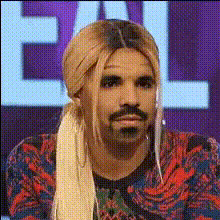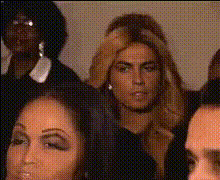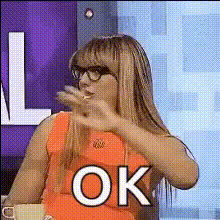
Template preview

tamar-braxton-ok-reaction

Video Face Swap
1 clip
0 uses

Any aspect ratio

Tags

transformations

Overview

The Tamar Braxton 'OK' Reaction template is a fun way to superimpose your face onto the popular reaction video format, effectively capturing the essence of trending entertainment culture. This template lets users insert themselves into iconic moments to create engaging and personalized content.

What It Does

By leveraging advanced video face swap technology, this template allows you to replace Tamar Braxton's face with your own in a well-known reaction clip. It provides a seamless transformation that can be a great addition to AI Video Generator projects or be used alongside Social Media Ads for viral trends.

Who It's For

This template is perfect for content creators looking to tap into pop culture moments. It's ideal for influencers, marketers, and anyone making Meme Videos who want to add a personal touch to their reaction content. It’s also a great tool for those experimenting with Video Style Transfer techniques.

Summary

Transform your video content by integrating yourself into iconic moments using the Tamar Braxton 'OK' Reaction template. This face swap capability expands your storytelling options, making it a valuable asset for both casual creators and marketing professionals aiming to enhance audience engagement and retention.

How To

    01

    Choose Your Template

    Open the Magic Hour platform and navigate to the Template Library. Select the Tamar Braxton 'OK' Reaction template from the Video Face Swap category.
    02

    Customize the Inputs

    Upload a clear photo of your face. Adjust for alignment and configure the face swap settings for the desired effect. You can also tweak other elements like video speed in the AI Video Generator tool.
    03

    Generate Your Video

    Click on 'Generate' to process your video. Once completed, download your new reaction video, ready to be shared or further edited using tools like the AI Image Editor.

Use Cases

😂

Viral Reactions

Create shareable content that resonates with current trends.
  • Meme creation
  • Social media engagement
  • Pop culture referencing
📈

Marketing Campaigns

Utilize face swaps in promotional videos to enhance relatability.
  • Brand engagement
  • Interactive ads
  • Custom influencer content
🎉

Personal Entertainment

Provide engaging personalized content for fun and laughs.

Best Practices

  • Choose High-Quality Photos

    Ensure the photo you upload is clear and well-lit for the best face swap results.
  • Adjust Alignment

    Take time to manually adjust the alignment settings for a more natural swap.
  • Test Different Videos

    Experiment with various face swap templates to find the one that best suits your content style.
Frequently asked questions

You can upload standard image files like JPEG and PNG for the face swap process.

Yes, after generating your video, you can continue editing with tools like the AI Image Editor.

The technology ensures a natural look by matching lighting and facial movement.

Yes, this template is suitable for commercial projects, including marketing and social media content.

More Like This

tamar-braxton-enthusiastic-reaction
tamar-braxton-funny-reaction
tamar-braxton-making-a-face
tamar-braxton-reacting-strongly
tamar-braxton-reaction
tamar-braxton-shocked-reaction
tamar-braxton-eyeroll
tamar-braxton-laughing
tamar-braxton-on-tv
tamar-braxton-on-tv
tamar-braxton-reacting
tamar-braxton-shocked-expression
3
tamar-braxton-shocked-expression
tamar-braxton-smiling-playfully

Face Swap Video