rogelio-de-la-vega-talking
Overview
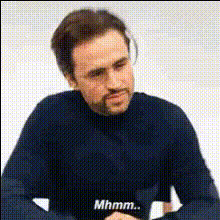
Step into the spotlight with the Rogelio De La Vega Talking Video Face Swap template. Bring your favorite moments to life by swapping your face with this iconic character. Perfect for creating humorous, memorable content that stands out on social media.
What It Does
This Video Face Swap template offers a quick way to superimpose your face onto Rogelio De La Vega, creating entertaining and vividly animated video clips. Simply upload your video, perform the swap, and watch as your content transforms into a personalized comedic masterpiece.
Enhance your creative arsenal by combining this tool with others, like the AI Voice Changer for adding a custom voiceover, or the AI Image Editor for refining still frames.
Who It's For
This template is ideal for social media enthusiasts, content creators, and fans of "Jane the Virgin". Whether you're looking to amuse your audience or just enjoy the creative process, swapping faces with Rogelio De La Vega provides endless entertainment possibilities.
Marketing professionals can also utilize this tool alongside the Video Face Swap to craft engaging promotional content or meme videos that drive engagement.
Summary
The Rogelio De La Vega Talking template allows you to create videos that are both amusing and memorable. Its ease of use makes it accessible to everyone, from novices wanting to have some fun to professionals seeking a unique edge in their content.
Combine this template with other tools from Magic Hour, such as the AI GIF Generator, for a wider array of creative options.
How-to
Choose Rogelio De La Vega Template

Customize Your Video

Generate and Download

Use Cases
Social Media Content
- Instagram Stories
- TikTok Videos
Meme Creation
- Custom Quotes
- Scene Overlays
Event Promotions
- Weddings
- Parties
Brand Engagement
- Promotional Teasers
- Campaign Launches
Best Practices
Select High-Quality Videos
Ensure the original video input is of high quality for the best face swap results.Facial Alignment
Make sure the selected face is well-aligned within the frame to avoid awkward placements.Integrate with Other Tools
Consider using AI Image Editor or AI Voice Changer for additional enhancements.