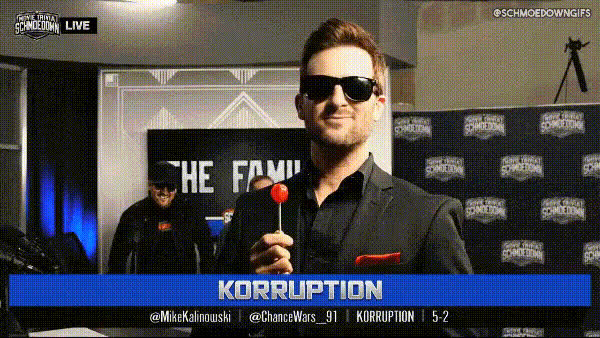
Man Talking In A Room
Overview
The Man Talking In A Room template allows you to alter videos by applying a Video Face Swap effect. This template is particularly suitable for applications ranging from creative storytelling to producing engaging, humorous content. Revamp your footage by merging new facial identities onto a speaking character's body for a fresh and personalized touch.
What It Does
This template seamlessly integrates a Video Face Swap tool into your workflow, letting you replace the face of a talking man in a controlled environment like a room. By adjusting this element, you can craft unique narratives or introduce novel elements to otherwise mundane videos.
Make your videos stand out by leveraging the functionalities offered by the Face Swap and Video Face Swap tools. These tools ensure high-quality output that respects the environmental context and lighting of your source material.
Who It's For
This template is ideal for content creators, marketers, and storytellers aiming to diversify the representation in their visual media. Whether producing viral social media clips or explainer videos, this template offers a powerful way to elevate your content.
If you're involved in corporate training or employee development, the Video Face Swap features can also help craft relatable scenarios that enhance engagement and retention.
Summary
The Man Talking In A Room template offers an effective solution for those needing to creatively adapt video narratives through face-swapping technology. Enhance your project's storytelling capacity while maintaining high production standards and privacy compliance.
Explore complementary tools like the AI Image Editor for refining your source material or incorporating additional visual effects.
How-To
Choose Your Template

Customize Your Video

Generate and Download

Use Cases
Social Media Content Creation
- Create relatable memes
- Craft personalized content series
Entertainment and Storytelling
- Produce comedic skits
- Develop compelling character arcs
Training and Educational Videos
- Simulate real-world scenarios
- Enhance lesson personalization
Best Practices
Choose High-Quality Inputs
Use high-resolution images and videos to ensure the face swap process maintains quality and believability.Maintain Environmental Consistency
Align the lighting and angle of the new face with the original video to achieve seamless integration. Tools like the AI Image Editor can assist in this.Test Before Finalizing
Preview your video before rendering to catch any misalignments or artifacts that might require adjustments.