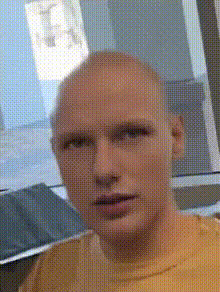
sebastian-stan-screaming
Overview
Inject humor into your videos with our Sebastian Stan Screaming face swap template. This tool offers a comedic twist by swapping the face of anyone in your video with that of Sebastian Stan during his iconic scream. Perfect for generating laughs and creating memorable content, this template is designed for easy integration and high-quality output.
What It Does
The Video Face Swap function allows you to replace one or more faces in a video with Sebastian Stan's well-known expression. This template works seamlessly with various video formats, making it ideal for social media content and other visual platforms. Utilize this tool to enhance your video projects by adding a twist of humor and a touch of celebrity charm.
Explore other innovative tools like Face Swap and AI Image Editor for more creative possibilities.
Who It's For
This template is perfect for content creators, social media managers, and anyone looking to add a humorous element to their video productions. Whether you're creating a funny skit or a viral meme, the Video Face Swap tool makes your editing process straightforward and effective. It's ideal for both amateurs seeking fun and professionals aiming for viral content.
Summary
Bring your videos to life with the Sebastian Stan Screaming template. This engaging Video Face Swap tool is easy to use, offering a straightforward way to produce entertaining and shareable content. Enhance your video projects with a touch of celebrity humor using this simple yet powerful editing feature.
Check out the AI GIF Generator to transform clips into short looping animations.
How-to Steps
Choose Your Template

Customize Your Video

Generate Your Creation

Use Cases
Social Media Entertainment
- Create humorous clips for Instagram reels.
- Boost engagement with unique TikTok videos.
- Generate laugh-worthy memes for web sharing.
Video Marketing
- Add a comedic twist to promotional videos.
- Enhance YouTube content with celebrity face swaps.
- Engage viewers in marketing campaigns.
Event Highlights
- Spice up wedding videos with unexpected humor.
- Add playful elements to birthday or celebration recaps.
- Create lighthearted office party highlights.
Best Practices
Select Clear Footage
Use high-resolution video files to ensure the best face swap results. Blurry or low-quality videos might not swap well.Experiment with Angles
Different angles of the subject can affect the swap quality. Try various clips to find the most effective swaps.Preview Before Sharing
Always preview the final video to check for any inconsistencies or errors before publishing or sharing it on social media.