Template preview

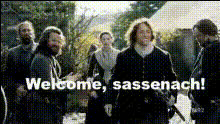
Outlander Welcome Scene

Video Face Swap
1 clip
0 uses

Any aspect ratio

Tags

transformations

Overview

Step into the enchanting world of "Outlander" with the Outlander Welcome Scene template. This Video Face Swap tool allows you to transpose your face onto your favorite Outlander character, crafting a personalized welcome scene that transports you to the Scottish Highlands.

What It Does

The template uses advanced Video Face Swap technology to replace the faces in selected scenes with your chosen images. It's specifically tailored for the iconic welcome scene from "Outlander", providing a seamless transformation that looks realistic and magical.

Who It's For

This template is perfect for fans of the "Outlander" series looking to have a little fun with one of their favorite scenes. It's also ideal for content creators seeking unique ways to engage audiences, as well as for educational purposes to demonstrate visual effects in media production courses.

Summary

With the Outlander Welcome Scene template, you can easily become part of the world of "Outlander", thanks to cutting-edge AI Video Generator technology. This tool is part of a broad range of creative assets available on Magic Hour, supporting everything from Image to Video transformations to AI Voice Changer features.

How-To

    01

    Choose Your Template

    Navigate to the Video Face Swap section and select the Outlander Welcome Scene template to begin your transformation.
    02

    Customize Your Input

    Upload an image of your face to be swapped into the video scene. Adjust the fit and alignment for optimal results.
    03

    Generate Your Video

    Click the 'Generate' button to process your video face swap. Once complete, download your new Outlander scene with your face seamlessly integrated.

Use Cases

🎬

Fan Creations

Create personalized versions of iconic scenes for personal sharing and enjoyment.
📱

Social Media Content

Increase engagement with unique content that stands out in users' feeds.
📚

Educational Demonstrations

Showcase the capabilities of video editing and face swap technology in a classroom setting.

Best Practices

  • Choose High-Quality Images

    Ensure that the image you upload is high resolution for the best possible swap results.
  • Align Faces Carefully

    Use the customization tools to align your face perfectly with the original character for a realistic look.
  • Preview Before Finalizing

    Take advantage of preview options to make any necessary adjustments before finalizing your video.
Frequently asked questions

Yes, but for the best results, use a high-resolution photo with clear facial features that align with the original character.

Processing time varies but typically takes just a few minutes, depending on the complexity of the scene and the server load.

Yes, the video output is in high definition, ensuring great visual quality.

Absolutely, you can download and share your custom Outlander scene across various social media platforms.

More Like This

Dear John Movie Scene
star-trek-character-greeting
tv-drama-quote-scene
2
tv-drama-quote-scene
tv-show-scene-1
tv-show-scene-1
tv-show-scene
tv-show-scene
will-and-grace-hug-1
Easy A Movie Scene
Easy A Movie Scene
tv-drama-argument-scene
1
tv-drama-argument-scene
tv-show-character-reaction
tv-show-scene-2
tv-show-scene-2
tv-show-screenshot
2
tv-show-screenshot
woman-in-alleyway-scene

Face Swap Video