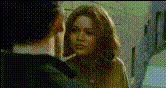
Template preview

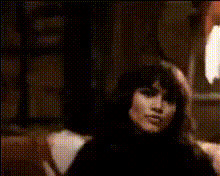
woman-in-alleyway-scene

Video Face Swap
1 clip
0 uses

Any aspect ratio

Tags

transformations

Overview

The "Woman in Alleyway Scene" is a dynamic Video Face Swap template that places your chosen face into a dramatic alleyway video. This template is ideal for filmmakers and content creators looking to add a unique visual twist to their projects.

What It Does

This template enables you to replace the original face in the alleyway scene with a new one, making use of our advanced AI Video Generator technology. The result is a seamless integration of the new face, maintaining the original expressions and movements.

Who It's For

The template is perfect for marketing professionals, content creators, and film enthusiasts who want to incorporate innovative face transformation effects into their video scenes to captivate their audience.

Summary

Transform your video projects with the "Woman in Alleyway Scene" through a Face Swap template. This user-friendly tool allows you to replace faces within a professionally filmed scene, leveraging technology from Image to Video solutions, suitable for storytelling, promotional content, or creative explorations.

How to Use

Simple steps to apply the "Woman in Alleyway Scene" Video Face Swap template.
    01

    Choose the Template

    Navigate to the Face Swap section and select the "Woman in Alleyway Scene" template.
    02

    Customize Your Input

    Upload your desired face image. Adjust blend and alignment settings to match the original video context.
    03

    Generate and Download

    Click on 'Generate' to process the video. Once ready, download your transformed video in the available formats.

Use Cases

Explore diverse ways to apply this template for varied content needs.
🎥

Creative Storytelling

Enhance your narratives by placing new faces into unique settings.
  • Short films
  • Social media posts
📈

Marketing Campaigns

Personalize promotional videos for targeted engagement.
  • Brand launches
  • Ad campaigns
👤

Experience Personalization

Offer viewers a more personalized media experience by featuring them.
  • Custom intros
  • Fan tributes

Best Practices

Tips for achieving excellent results with this template.
  • Select high-quality images

    Ensure your uploaded face images are of high resolution to maintain clarity in the swap outcome.
  • Focus on Lighting

    Match the lighting of your face image with the scene to achieve a more natural look.
  • Adjust settings carefully

    Use the available tools to fine-tune the alignment and size of the face for the best integration.
FAQs

You can upload .jpg, .png, and .bmp files for face images.

Yes, use the customization settings to control blend and alignment for the best results.

Absolutely, videos created with this template can be used for commercial projects, making it ideal for marketers and advertisers.

Consider using the AI Image Editor for polishing images and the AI Voice Changer for enhancing audio aspects of your project.

More Like This

woman-close-up-face
woman-close-up-face
woman-looking-at-camera
woman-looking-down-smiling
1
woman-looking-down-smiling
woman-looking-over-shoulder
woman-says-whatever
woman-says-whatever
woman-smiling-closeup
woman-in-black-shirt
1
woman-in-black-shirt
woman-looking-confused-1
woman-looking-out-window
3
woman-looking-out-window
woman-looking-through-window
2
woman-looking-through-window
woman-smiling-1
woman-smiling-1
women-standing-in-hallway

Face Swap Video