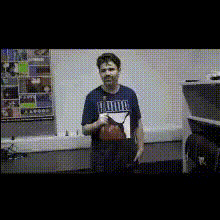
Template preview

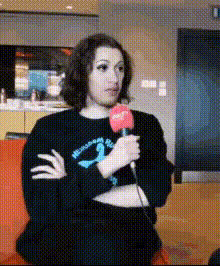
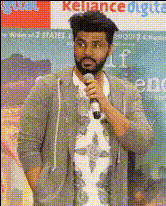
Man Holds A Microphone

Video Face Swap
1 clip
0 uses

Any aspect ratio

Tags

transformations

Overview

The "Man Holds A Microphone" Video Face Swap template lets you create engaging and humorous content by swapping faces in videos where a character is holding a mic. This template is perfect for creating viral videos that capture attention and spark laughter.

What It Does

This template offers a Video Face Swap functionality that allows you to interchange faces in a video with high precision. Whether for entertainment or creative storytelling, the results are hilarious and astonishingly seamless. You can further refine your video using the AI Image Editor to enhance quality.

Who It's For

This template is ideal for content creators, marketers, and social media enthusiasts aiming to produce imaginative and comedic content. Perfect for social media ads and entertainment-based promotions, it empowers users to make share-worthy content that resonates with diverse audiences.

Summary

The "Man Holds A Microphone" Video Face Swap template is a versatile tool for those looking to add a fun twist to their video projects. It integrates smoothly with other creative tools in Magic Hour's suite, such as the AI Video Generator for enhanced storytelling.

How To

    01

    Choose Your Template

    Navigate to the Face Swap section and select the "Man Holds A Microphone" template to start your project.
    02

    Customize Inputs

    Upload the video for transformation and select the faces you want to swap. Tailor the nuances using available adjustments for alignment.
    03

    Generate Your Video

    Hit the generate button to produce your new video. Once processing is complete, download it directly to your device.

Use Cases

📲

Social Media Content

Create humorous and engaging videos for platforms like TikTok and Instagram.
🎬

Entertainment Marketing

Enhance promotional videos with unique and surprising elements.
🎤

Event Highlights

Add a twist to event footage by swaping faces of participants for recap videos.

Best Practices

  • Choose Clear Videos

    Ensure videos have good lighting and clear facial visibility for the best swap results.
  • Refine with Editors

    Use the AI Image Editor to polish the final video for professional outputs.
  • Experiment with Styles

    Try different facial expressions to find the most entertaining combinations.
Frequently asked questions

Ensure faces in the video are clear and well-lit. This improves alignment and realism during the face swap.

Yes, you can enhance the video using the AI Image Editor to fine-tune quality and details.

While there is no strict limit, shorter videos process faster and might yield better results.

Absolutely. This template is designed to create high-quality transformations suitable for professional uses.

More Like This

Man Holding A Microphone (2)
Man Holding Microphone Smiling
Man Smiling At Microphone
Man With Microphone 1
Man With Microphone 3
Man With Microphone 4
Man Holding A Microphone
2
Man Holding A Microphone
Man Holding Microphone
Man Speaking To Microphone
Man With Microphone 2
1
Man With Microphone 2
Man With Microphone
Man With Microphone
Men Holding Microphones

Face Swap Video