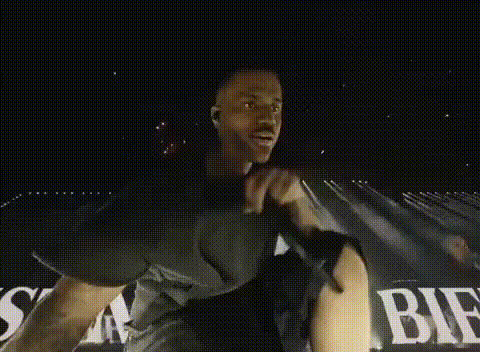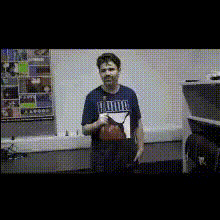
Man With Microphone
Overview
The Man With Microphone template allows you to transform a video by swapping a face onto the character of a man holding a microphone. Ideal for creating memorable and engaging clips, this template enhances the fun factor in any video project.
What It Does
This Video Face Swap template replaces the face of the man with a microphone in a video, allowing you to superimpose a different face. Create humorous and intriguing content that stands out on platforms like social media. Seamlessly integrate it with tools like the AI Image Editor to refine the face details further or pair it with the Audio to Video feature for a truly dynamic production.
Who It's For
This template is perfect for content creators, digital marketers, and social media influencers who want to add a touch of humor or surprise to their videos. Educators and trainers can also use this format to add engagement to their instructional content, while agencies can leverage it for viral marketing campaigns. For those involved in meme video production, it's a must-have tool.
Summary
Incorporate the Man With Microphone Face Swap template into your creative process to craft unique videos that draw attention. Whether you're producing comedy content or promotional videos, this tool offers versatility and ease of use. Explore its potential alongside other products like the AI Talking Photo to elevate your storytelling.
How To
Choose the Template

Customize Your Video

Generate Your Video

Use Cases
Social Media Content
- Instagram stories
- TikTok challenges
Marketing Campaigns
- Viral branding videos
- Interactive ads
Educational Videos
- Student projects
- E-learning humor
Best Practices
Use High-Quality Images
For best results, ensure the face images you upload are high-resolution to maintain video quality.Mind the Lighting
Match the lighting of the new face to the original video for a seamless blend. Consider using the AI Photo Relighting tool if needed.Check Facial Expressions
Choose a face with expressions matching the scene in the video to keep the content realistic and engaging.