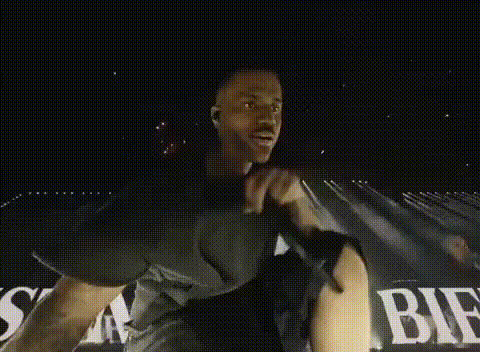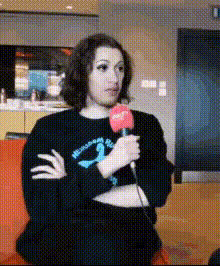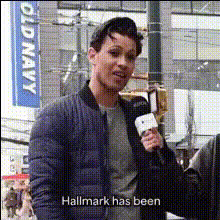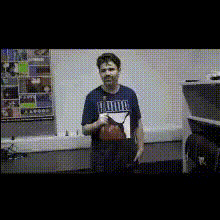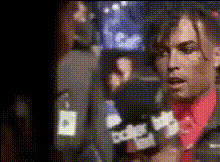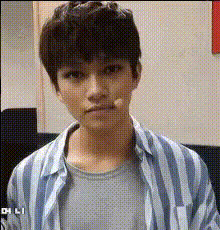
Man Holding Microphone
Overview
The "Man Holding Microphone" template revolutionizes your videos by enabling a precise Video Face Swap. Whether you're crafting hilarious clips or promotional content, this template turns your vision into reality. Just imagine yourself confidently holding the microphone in any scene you choose.
What It Does
This template allows you to replace the original face of the man holding the microphone with yours or any other face you choose. Using sophisticated algorithms similar to those in the Image to Video and AI Face Editor, the output maintains natural facial expressions and movement within the scene.
Who It's For
Perfect for content creators, marketers, and social media enthusiasts looking to engage their audience with dynamic video content. This template is ideal for anyone who uses tools like the AI GIF Generator or the Lip Sync application, expanding your creative toolbox.
Summary
Enhance your video projects with the "Man Holding Microphone" template, designed for creative control and maximum impact. Its user-friendly features align with the needs of both seasoned creators and beginners, making it a versatile choice for transforming videos with a personal touch.
How-To Guide
Choose Your Template

Customize Your Inputs

Generate and Download

Use Cases
Entertainment Content
- Transform concert footage with your likeness
- Create funny parody videos
Marketing Campaigns
- Include personal appearances in promotional videos
- Engage audience with interactive video content
Social Media
- Create trending content for platforms like TikTok
- Engage with followers through creative storytelling
Best Practices
Choosing the Right Video
Select videos where the microphone is prominently featured to make the most of the template.Face Selection
Use high-quality, well-lit images for face swapping for the best results.Post-Production
Consider using the AI Image Editor or AI Video Generator for additional enhancements and effects.