Man In Suit And Tie 2
Overview
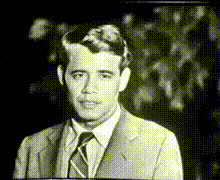
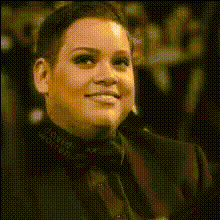
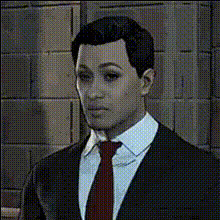
The "Man In Suit And Tie 2" template offers an innovative way to transform faces in video content quickly and efficiently. Ideal for both professional and entertainment settings, this Video Face Swap template provides a seamless way to incorporate new faces into corporate environments or to add a humorous touch to creative projects.
What It Does
This template allows you to swap in a new face onto a man wearing a suit and tie in video content. It is designed to maintain facial expressions and align with the original video's lighting and angles, ensuring a natural look. It's compatible with various file formats including MP4, making it versatile for different uses.
Explore similar tools like the Video Face Swap and AI Talking Photo for extended capabilities.
Who It's For
This template is perfect for video editors, corporate trainers, and creative professionals looking to add a sophisticated or humorous twist to their projects. Businesses aiming to create targeted marketing videos or internal communication content can benefit greatly. It's also suited for content creators making parody videos or personalized social media clips.
For a broader suite of tools, check out our Face Swap options.
Summary
With the "Man In Suit And Tie 2" template, you'll have access to an efficient, builder-friendly solution for producing compelling video content. The template is easy to use and supports creativity and engagement. Whether for professional purposes or leisure, this tool blends functionality with fun.
Consider trying our AI Video Generator for additional creative possibilities.
How To
Choose Your Template

Customize Your Project

Generate and Share

Use Cases
Corporate Training Videos
- Create engaging introductions
- Develop custom internal communication pieces
Creative Marketing Campaigns
- Boost engagement with personalized ads
- Craft memorable social media content
Entertainment Projects
- Create funny sketches
- Produce unique YouTube content
Best Practices
High-Quality Source Images
Ensure that the face images you upload are of high resolution to maintain video quality and realism.Consistent Lighting
Select face images with lighting conditions similar to the original video for seamless blending.Preview Before Finalizing
Use the preview function to make any necessary alignment adjustments before finalizing your video.