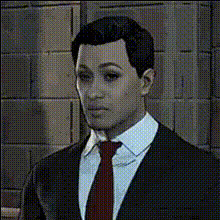
Man In Suit Smiling (2)
Overview
The Man In Suit Smiling template is crafted for video creators looking to give their footage a new twist. With its focus on Video Face Swap, this template allows you to replace the original face in any video with another, maintaining the smile and professional attire of the character. Whether for comedic effect or professional application, this tool provides you with flexible options for transforming video content.
What It Does
This template specializes in swapping faces within videos while maintaining accurate facial expressions and attire. It uses advanced AI technology to precisely map and blend the new face onto the target, creating a seamless and natural look. It's ideal for producing content that demands high fidelity and realistic transformations, whether for entertainment or corporate purposes.
Who It's For
Perfect for social media influencers, digital marketers, and video production professionals, the Man In Suit Smiling template is tailor-made for those who need dynamic video transformations. Content creators aiming for viral engagement and businesses wanting to create unique marketing videos can benefit significantly from this tool.
Summary
Harness the power of AI with the Man In Suit Smiling template to swap faces in videos with ease and precision. This tool is designed to elevate both quality and creativity in your video projects, aligning perfectly with goals for humor, professionalism, or viral potential. Explore related tools like the AI Video Generator and AI Voice Changer to expand your creative arsenal.
How-To
Choose

Customize

Generate

Use Cases
Social Media Content
- Easily replace faces to customize memes.
- Generate funny clips to entertain followers.
Corporate Videos
- Replace spokesperson for localization.
- Easily update outdated footage without re-shooting.
Digital Marketing
- Create personalized ads for different demographics.
- Swap faces for A/B testing campaign performance.
Best Practices
Choose High-Quality Footage
Use videos with good lighting and high resolution to ensure better face mapping and swapping results.Match Skin Tones
Try to match the skin tone of the original and replacement faces to enhance realism in the final output.Review And Revise
Always preview the video before finalizing to check for any errors in alignment or blending.