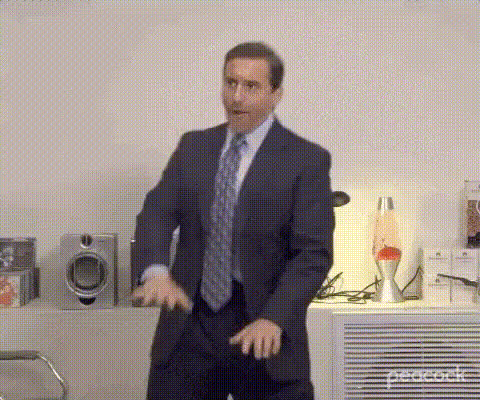
Man In Suit Gestures
Overview
The Man In Suit Gestures template is designed for those who wish to add a professional touch to their video projects or create humorous content with a formal twist. This video face swap tool allows you to place a desired face onto a man in a suit, capturing a range of gestures in a seamless sequence. Perfect for both entertainment and business projects, this template taps into the potential of AI-driven transformation.
What It Does
This template provides a straightforward way to engage audiences by incorporating a face swap feature into videos that show a man in a suit performing various gestures. It's engineered to facilitate quick swaps and edits, ensuring that both comedic and serious content retains visual integrity. Integrate this template into your workflow alongside products like Face Swap and AI Image Editor for enhanced customization.
Who It's For
Ideal for digital marketers, content creators, and humor enthusiasts, the Man In Suit Gestures template caters to professionals who need to craft engaging video presentations and comical clips. Whether you're in advertising, social media, or a creative agency, this tool elevates your content with ease, fitting in perfectly with other tools like the AI Clothes Changer.
Summary
By utilizing the Man In Suit Gestures template, you gain access to a flexible Video Face Swap feature that supports a wide array of project types—from light-hearted parodies to polished business communications. Pair it with the Image to Video tool for dynamic video creation. Craft videos that meet your specific needs while maintaining creative control.
How to Use
Choose the Template

Customize Your Inputs

Generate Your Video

Use Cases
Corporate Presentations
- Swap faces in corporate announcements
- Create engaging visual content for meetings
Social Media Content
- Develop trending humorous clips
- Promote brand messages creatively
Educational Videos
- Use for e-learning modules
- Engage students with playful examples
Best Practices
Select High-Quality Images
Use sharp, well-lit images for best results in face swapping.Ensure Proper Alignment
Align the facial features accurately for a more natural swap effect.Test Different Scenarios
Experiment with various facial expressions to enrich the final video output.