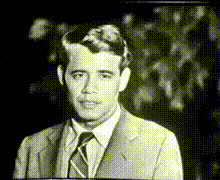
Man In Suit Looks Out
Overview
The "Man In Suit Looks Out" template is a versatile Video Face Swap tool designed to give your projects a professional touch. Ideal for both corporate training and creative storytelling, it allows you to seamlessly integrate different faces into a standard scenario of a man in a suit gazing thoughtfully into the distance.
What It Does
This template enables you to replace the face of the man in a suit with any other face from your collection or AI-generated images. Using advanced face swap technology, it maintains natural expressions and lighting, creating a realistic and cohesive video.
Who It's For
Designed for videographers, marketers, and content creators, this template is perfect for those who want to customize product demo videos or create unique narratives. Whether you're a small business looking to create corporate presentations or a content creator aiming to enhance your storytelling, the "Man In Suit Looks Out" template offers the flexibility you need.
Summary
With the potential to transform any video session, this Video Face Swap template is an indispensable tool for professionals seeking to innovate their content while maintaining quality and coherence. Its easy customization allows users to quickly adapt videos for multiple purposes, making it a staple for various use cases.
How to Use
Choose the Template

Customize Your Project

Generate Your Video

Use Cases
Corporate Presentations
- Train employees with engaging visuals
- Adapt for different branches around the globe
Creative Storytelling
- Enhance plot twists
- Develop unique character arcs
Social Media Campaigns
- Create personalized adverts
- Enhance brand storytelling
Best Practices
Ensure Quality Source Images
For the best results, use high-resolution images for face replacement. This will help maintain the video's overall quality.Match Lighting and Angles
Customizing to match lighting and angles in the original video scene ensures a natural overlay of the new face.Preview Before Finalizing
Always preview the video before generating it fully to ensure all elements appear coherent and professional.