Man In Shirt Speaking
Overview
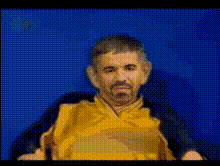
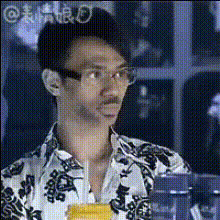
The "Man In Shirt Speaking" template offers a dynamic way to create engaging content. With this Video Face Swap template, you can replace the face of a man in a shirt, delivering a personalized video output. Ideal for social media enthusiasts, marketers, and creatives looking to make their content more relatable and entertaining. This template opens up a myriad of possibilities for unique video transformations.
What It Does
This template allows you to insert another face onto a video of a man speaking, maintaining the authenticity of facial movements and expressions. Perfect for those who want to create personalized messages, parody content, or engaging storytelling. By utilizing the Video Face Swap model, this tool ensures that the swap appears natural and convincing.
Who It's For
Whether you're an influencer looking to spice up your video content or a marketer aiming to catch the audience's eye, this template is designed for you. It's also great for educators and trainers needing to create engaging customer onboarding videos or internal communications. The ease of use makes it accessible for all skill levels, from amateurs to seasoned video editors.
Summary
The "Man In Shirt Speaking" template is your go-to for innovative face-swapping video projects. Designed to be user-friendly, it leverages advanced AI to ensure seamless integration, helping you produce professional-quality content that captures attention. Pair this with other products like the AI Voice Changer for even more impressive results.
How-To
Choose Your Template

Customize the Video

Generate and Download

Use Cases
Social Media Content
- Instagram Stories and Reels
- Facebook Posts
- TikTok Videos
Marketing Campaigns
- Product launch clips
- Event promotional videos
Entertainment
- Sketches
- Fan edits
Best Practices
Select High-Quality Images
Ensure the image you upload for face-swapping is high-resolution to maintain video quality.Check Lighting Consistency
Match the lighting of the face image to the video to ensure a natural-looking swap.Use Complementary Tools
Consider using the AI Talking Photo for a more interactive experience.