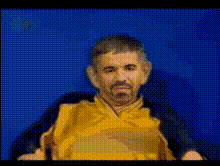
Man In Plaid Shirt Talking
Overview
The Man In Plaid Shirt Talking template revolutionizes video content creation by leveraging the power of Video Face Swap technology. This template features a relatable figure, dressed in a plaid shirt, serving as the perfect canvas for dynamic and personalized storytelling.
Whether crafting for entertainment or professional purposes, this template is designed to enhance your ability to swap faces into video content with remarkable ease.
What It Does
This template allows you to replace the face of a man in a plaid shirt with any face of your choice, creating tailor-made video clips that resonate with your audience. By utilizing advanced AI, the Video Face Swap tool seamlessly integrates new facial elements, maintaining expressive movements and authentic emotions.
Compatible with various file formats, it ensures that the final output is professional and polished, suitable for sharing across multiple platforms.
Who It's For
This template is ideal for creators looking to innovate in dynamic content fields like social media, marketing, and entertainment. It's perfect for YouTubers, marketers, and corporate trainers who want to grab attention with innovative video content.
Educators and digital artists can also benefit, using the template to create engaging educational materials or artistic projects.
Summary
Discover the ease of transforming your video content with the Man In Plaid Shirt Talking template. By using the Video Face Swap capability, this template empowers users to create personalized, high-quality videos without extensive editing experience.
Explore more advanced tools like the AI Image Editor or the Image to Video for further enhancing your creative projects.
How To Use
Choose the Template

Customize Your Video

Generate and Export

Use Cases
Social Media Content
- Instagram Reels
- TikTok transformations
- YouTube skits
Marketing Campaigns
- Product launch teasers
- Ad campaigns
- Influencer collaborations
Educational Videos
- Training tutorials
- Explainer videos
- Corporate e-learning
Best Practices
Select High-Resolution Images
Ensure the faces you upload are of high quality to maintain clarity and detail when swapped.Align Faces Correctly
Carefully adjust the position of the new face to match the original actor’s orientation for optimal results.Check for Lighting Consistency
Match the lighting and color tones between the face and the target video to create a natural look.