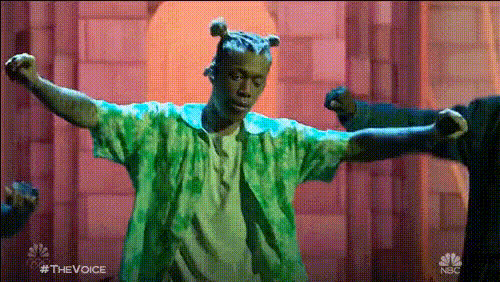
Justin Bieber On The Voice
Overview
This Video Face Swap template allows you to insert Justin Bieber into an episode of The Voice, creating memorable and hilarious moments. Whether for a prank or a viral video, our template makes face swapping simple and impactful.
What It Does
This template enables you to place Justin Bieber's face over one of the judges on The Voice. The advanced Video Face Swap technology ensures the replacement appears natural, capturing subtle facial movements and expressions. With support for various file formats, you can upload your final masterpiece seamlessly.
Who It's For
Creators looking for a funny twist in their content will find this tool invaluable. Perfect for content creators, video editors, or anyone interested in producing social media ads with a playful edge. This tool also suits fans of Justin Bieber, looking to surprise friends with unexpected video edits.
Summary
Turn an episode of The Voice into a humorous spectacle by swapping a judge's face with Justin Bieber's. Use this on platforms like TikTok or Instagram to engage audiences with unique, entertaining content. The video face swap process is straightforward, enhancing creativity without demanding technical expertise. Explore other engaging editing options with our AI Video Generator.
How-To
Choose Your Template

Customize Your Inputs

Generate Your Video

Use Cases
Prank Videos
- Surprise friends with unexpected clips
- Generate content that stands out
Viral Content
- Engage your audience with unique content
- Boost reach on platforms like TikTok
Social Media Campaigns
- Add a humorous angle to ad campaigns
- Great for brand engagement and sharing
Best Practices
Choose High-Quality Footage
Ensure the original video and face images are of high quality for the best swap results.Pay Attention to Lighting
Match the lighting of the source video and the face image for a natural look.Experiment with Different Clips
Try swapping faces on different clips to discover the funniest and most engaging results.