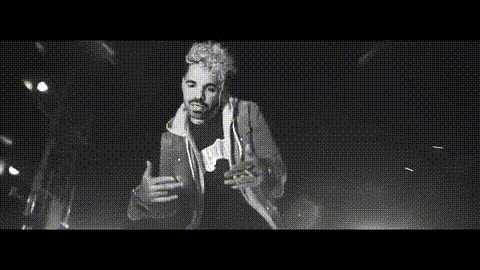
Template preview

Jaykae Rapping Outdoors

Video Face Swap
1 clip
0 uses

Any aspect ratio

Tags

transformations

Overview

Immerse yourself in a creative video transformation with the Jaykae Rapping Outdoors template. This Video Face Swap template lets you incorporate Jaykae's dynamic style into your projects, ideal for music enthusiasts and those wanting to generate buzz on social media.

What It Does

Our Video Face Swap template allows you to overlay your face or someone else's onto Jaykae's body as he raps outdoors. It combines Face Swap technology with realistic video processing to ensure a high-quality, engaging result. Experience the power of this transformation and bring a fresh perspective to music videos and other creative projects.

Who It's For

This template is perfect for music video creators, social media influencers, and anyone interested in social media ads. Whether you're a fan of creative transformations or seek to make standout content, this template offers the tools needed for innovative video creation.

Summary

Transform your video projects by integrating the Jaykae Rapping Outdoors Face Swap template. Utilize our advanced AI Video Generator to produce seamless visual content that captivates your audience. Perfect for both professional and personal use, it brings new life to your video creations.

How To

    01

    Choose Your Template

    Navigate to the Face Swap templates section and select the 'Jaykae Rapping Outdoors' option to get started.
    02

    Customize Your Video

    Upload the image or video you'd like to use for the face swap. Adjust any additional settings to fine-tune the appearance.
    03

    Generate and Download

    Click 'Generate' to produce your customized video. Once finished, download your file in your preferred format.

Use Cases

🎶

Music Video Production

Elevate your music videos by swapping faces with Jaykae, adding a creative twist to the narrative.
📱

Social Media Content

Create engaging and viral content by incorporating a familiar face on platforms like TikTok and Instagram.
✉️

Personalized Video Messaging

Add a personal touch to messages by crafting unique videos using the face swap feature.

Best Practices

  • Choose High-Quality Images

    For best results, ensure that your uploaded images or videos are of high quality to enhance the face swap effect.
  • Consistency in Lighting

    Maintain consistent lighting to achieve a seamless integration, particularly when matching skin tones.
  • Experiment with Angles

    Try different angles to find the most realistic transformation for your video project.

Frequently asked questions

Yes, but longer videos might require more processing time for optimal quality.

You can download your finished video in popular formats such as MP4.

There are no limits to usage; however, each new application will count as a separate use.

For best results, use videos with clear resolution to complement the high-quality face swap effect.

More Like This

Jay Z Speaking
Jay Z Speaking
Lil Uzi Vert Rapping
rap-music-video-scene-1
1
rap-music-video-scene-1
rapper-in-dark-setting
rapper-in-music-video
rapper-jaykae-and-friend-gesture
Lil Keed In Music Video
2
Lil Keed In Music Video
rap-music-video-dance-scene
rap-music-video-scene
rapper-drake-questioning-something
rapper-on-stage-performing
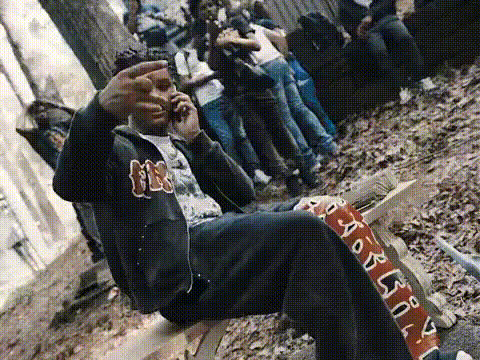
rapper-on-a-bench
2
rapper-on-a-bench

Face Swap Video