Template preview

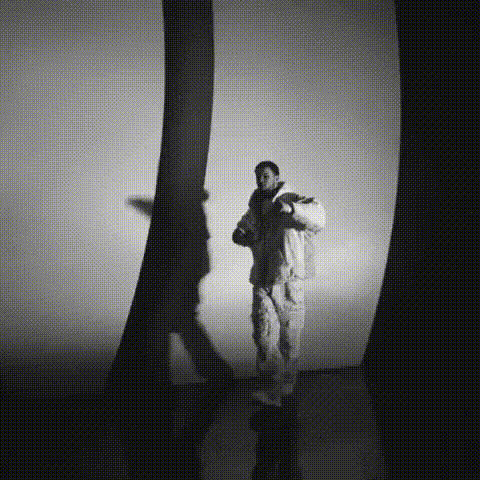
Drake In Music Video

face-swap

1 clip
0 uses

Any aspect ratio

Tags

transformations

Turn Any Video Into a Seamless Face Swap

Use this template to instantly swap faces in any video with studio-quality results. It’s built on Magic Hour’s production-grade Face Swap engine, so you can create viral content, product demos, UGC variations, or concept tests in minutes—without manual masking, rotoscoping, or After Effects.

This template is perfect for:

  • Creators testing multiple on-screen “talent” options from one base video
  • Marketers localizing campaigns or A/B testing different personas
  • Startup teams prototyping product explainers or landing page assets
  • Agencies creating safe, consent-based face replacement for clients
  • Anyone who wants high-quality face swaps without deep learning expertise

What This Template Does

This Face Swap template takes:

  1. A source video (the “body” / performance)
  2. A face image or portrait (the “identity” you want to overlay)

…and outputs a new video where the target face is realistically mapped onto the person in the original clip. Expressions, head turns, and lighting are preserved as closely as possible while aligning to the new identity.

Under the hood, the system uses an AI-based facial identity model, landmark detection, and frame-by-frame blending to maintain:

  • Consistent facial identity across the entire video
  • Natural motion and expressions
  • Smooth transitions, even with movement or partial occlusions

Because this template is powered by the same core as the standalone Face Swap and Face Swap GIF tools, you get the same quality, but inside a reusable workflow that’s easy to remix.


How to Remix This Template in Magic Hour

You can build your own version of this template in a few minutes by remixing it inside Magic Hour. The flow is:

  1. Start from Template

    • Open this template in Magic Hour.
    • Click Remix to duplicate it into your own workspace.
  2. Attach Your Source Video

    • Use a video with a clear, front-facing or 3/4 view of the person you want to replace.
    • Keep motion relatively stable for best identity tracking.
    • Short clips (5–30 seconds) are ideal for iteration and testing.
  3. Add or Replace the Target Face

    • Upload a well-lit, high-resolution image of the person you want to insert.
    • Aim for:
      • Neutral expression (mild smile is fine)
      • No heavy shadows over eyes or nose
      • Minimal obstructions (no big sunglasses, hair completely over face, etc.)
  4. Run the Face Swap Step

    • The template’s core step uses Magic Hour’s Face Swap engine to map the new identity onto every frame of your source video.
    • You don’t need to adjust model parameters; the template is pre-wired for general-purpose swaps.
  5. Preview, Iterate, Version

    • Generate a preview, then:
      • Swap in another identity image to compare versions
      • Test the same target face on different base videos
      • Clone this template into variations dedicated to different campaigns or personas
  6. Export & Reuse in Other Magic Hour Flows

Once you’ve remixed the template, it becomes a repeatable pipeline: drop in a new identity photo or a new base video, and you get a consistent, on-brand face swap in minutes.


Advanced Use Cases for Creators, Marketers & Builders

Because this is a reusable template, it’s especially valuable when you need scale and consistency:

1. Marketing & UGC at Scale

  • Produce regionalized variants of the same ad with different on-screen faces
  • Test multiple buyer personas or spokespersons from one master video
  • Turn existing customer UGC into multiple “actors” while preserving the performance

Combine with:

2. Product Demos & Onboarding

Instead of reshooting walkthroughs:

  • Record a single clean demo
  • Use this Face Swap template to insert different personas (e.g., different team members or synthetic brand ambassadors)
  • Localize or personalize videos for specific customers or verticals

You can also:

3. Concept Testing & Synthetic Personas

For startups and research-heavy teams:

  • Prototype campaigns with synthetic models before hiring talent
  • Validate audience response to demographic changes (age, style, etc.), always with consent and within policy
  • Maintain consistent synthetic “characters” across video, image, and GIF formats

Helpful tools:

4. Content Repurposing for Social

Turn one anchor video into a library of variants:

  • Swap faces for meme remixes or “what if” scenarios
  • Create GIFs using AI GIF Generator or the dedicated Face Swap GIF pipeline
  • Generate platform-optimized thumbnails with Thumbnail Maker featuring your swapped identity

How to Get Better, More Realistic Face Swaps

To maximize quality and reduce artifacts:

Choose strong base footage

  • Stable lighting, no rapid flicker
  • Face visible and not fully covered by hair, masks, or large accessories
  • Avoid heavy compression (low-bitrate or pixelated videos)

Use high-quality identity images

  • High resolution, crisp focus, no motion blur
  • Face should occupy a significant portion of the frame
  • Consistent age, gender, and general build with the person in the base video usually yields more convincing results

Enhance input quality if needed


Workflow Examples Using This Template

Here are three practical pipelines you can build by remixing this template:

1. Synthetic Spokesperson for Product Launch

  1. Generate a character with AI Character Generator or AI Face Generator
  2. Record a clean human presenter video (good lighting, neutral background)
  3. Use this Face Swap template to map the synthetic face onto the presenter
  4. Add voice with AI Voice Generator or AI Voice Cloner
  5. Add subtitles with Auto Subtitle Generator and export for web and social

2. Multilingual Campaign Variants

  1. Start with a master product demo video
  2. Use this template to create region-specific faces (e.g., localized actors or synthetic personas)
  3. Generate language-specific audio via AI Voice Generator
  4. Use Lip Sync to align lip movements to each language track
  5. Export and upscale final assets with Video Upscaler

3. Meme & Content Experiments

  1. Pick a trending clip or your own short skit
  2. Run it through this Face Swap template with multiple target faces (e.g., your team, fictional characters, brand mascots)
  3. Turn the funniest segments into GIFs via AI GIF Generator
  4. Generate matching stills or posters using AI Meme Generator or AI Art Generator

Related Magic Hour Tools Worth Knowing

If you’re building a more complete pipeline around this template, these tools integrate well:


Ethical & Practical Considerations

Face swap technology is powerful. Teams using this template should:

  • Obtain explicit consent from any real people whose faces are used as targets
  • Clearly label synthetic or altered media in contexts where viewers could be misled
  • Respect platform policies and local regulations around deepfakes and synthetic content
  • Avoid using public figures or private individuals in ways that could cause harm or confusion

For professional teams, consider drafting an internal policy for synthetic media usage so your workflows stay aligned with legal and ethical standards.


Start Remixing This Face Swap Template

This template gives you a production-ready Face Swap pipeline that you can adapt to your brand, characters, and campaigns. Remix it, wire it into your broader Magic Hour workflows, and use it as a base to:

  • Test creative ideas faster
  • Reuse and repurpose your best performances
  • Build consistent synthetic personas across video, image, and social content

Open the template in Magic Hour, click Remix, plug in your own source videos and identity images, and you’ll have a reusable face swap system that fits directly into your creative stack.

More Like This

Insufficient credits