Dancing Child On Stage
Overview
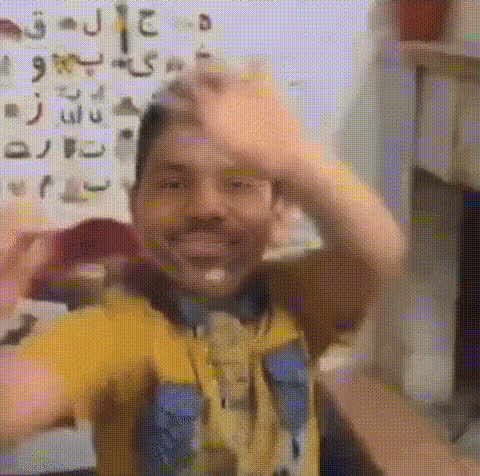
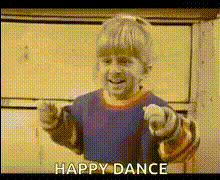
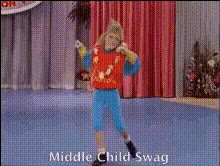
"Dancing Child On Stage" is an engaging Video Face Swap template designed to bring humor and creativity to any occasion. Transform the face of a child showing off their dance moves on stage with a different face for personalized and fun results. This template is ideal for a variety of celebrations, from birthday parties to creating viral social media content.
What It Does
The "Dancing Child On Stage" template utilizes Video Face Swap technology to replace the face of the child dancing with any other face you choose. This process is seamless and creates humorous or surprising results perfect for attention-grabbing videos. Pair it with our Face Swap tools to explore more creative possibilities.
Compatible with various video formats, this tool ensures your content looks natural and cohesive. Combine it with the AI Video Generator for creating complex sequences or add voiceovers with the AI Voice Changer for extra effect.
Who It's For
This template is perfect for digital content creators, social media enthusiasts, and event organizers looking to add a creative twist to their videos. It's also an excellent resource for marketers seeking to create engaging social media ads that stand out. Pair it with tools like the AI GIF Generator for even more dynamic content.
Summary
With "Dancing Child On Stage," you have the opportunity to create fun and memorable videos that are sure to entertain viewers. Whether it's for a birthday celebration or crafting a viral sensation, this Video Face Swap template has you covered. Explore additional creative options with Image to Video and AI Profile Picture Generator to elevate your projects.
How-to Steps

Customize

Generate

Use Cases
Birthday Celebrations
- Easy customization with minimal setup
- Instant download for quick sharing
Viral Social Media Content
- Compatible with major platforms like Instagram and TikTok
- Surprising humor leads to higher engagement
Marketing Campaigns
- Supports ad formats compliant with most social platforms
- Boosts visibility with unique content
Best Practices
Choose High-Quality Images
For the best swap results, use high-resolution images of the faces you would like to swap.Match Skin Tones
Use the AI Face Editor to adjust skin tones for a natural look.Preview Before Finalizing
Take advantage of preview features to ensure everything looks perfect before completing the process.