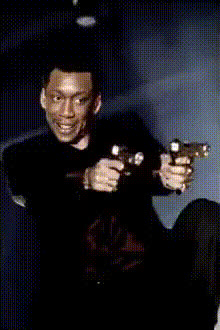
Castor Troy Dual Wielding Guns
Overview
Step into the thrill of Hollywood action with the Castor Troy Dual Wielding Guns video face swap template. This template allows you to place your face in the fast-paced action scene, made famous by Castor Troy. Perfect for action movie enthusiasts looking to personalize iconic sequences. Integrating the power of AI, it's a go-to choice for crafting entertaining and dynamic content.
What It Does
The Video Face Swap technology in this template enables you to superimpose your face onto Castor Troy in the famous dual-gun scene. The tool uses advanced algorithms to ensure facial expressions, lighting, and movements are as realistic as possible, creating a seamless integration. Face Swap processes ensure high-quality output, maintaining the dramatic flair of the original scene.
Who It's For
This template is ideal for filmmakers, YouTubers, and social media influencers aiming to add a unique twist to their content. Additionally, it's perfect for movie buffs who want to immerse themselves in famous film moments. Whether for meme creation or personalized movie edits, it's tailor-made to bring cinematic experiences to a broader audience.
Summary
By utilizing this Video Face Swap template, creators can generate exciting, personalized movie clips. This tool is excellent for experimenting with AI GIF Generator to create memorable short clips or for developing engaging social media content with Image to Video conversions. Transform your videos into thrilling sequences just like in the movies.
How To
Choose the Template

Customize

Generate

Use Cases
Action Video Montages
- Capture audience attention
- Enhance engagement with personalized content
Social Media Content
- Increase followers with eye-catching videos
- Create trending content for TikTok and Reels
Movie Parody Clips
- Make humorous spins on classic scenes
- Engage audiences with shareable content
Best Practices
Choose High-Quality Images
Use a clear and well-lit image for better face detection and swap results.Align Facial Features
Ensure that your facial points align with the template for a more natural swap.Experiment with Different Angles
Try using images taken from various angles to see which provides the best results.