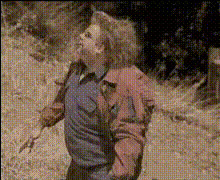
Man With Gun In Hand
Overview
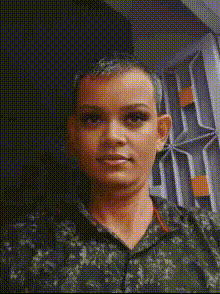
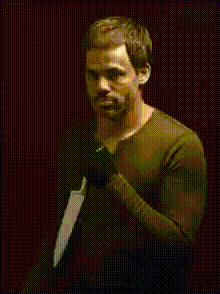
The "Man With Gun In Hand" video face swap template offers a dynamic way to insert your or another person's face into a thrilling scene featuring a man holding a gun. Utilizing advanced face-swap technology, this template can inject a personalized touch to various video projects, making them more engaging and exciting. It's a fantastic tool for anyone looking to add a unique twist to their video content.
What It Does
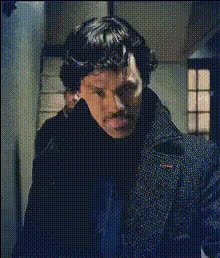
This template lets you replace the original actor's face in the video with a face of your choosing. The Video Face Swap tool leverages cutting-edge AI to ensure realistic and seamless face transitions. Ideal for adding a personal element to your stories or creating custom video shout-outs, the template maintains high fidelity by respecting facial movements and expressions.
Who It's For
Whether you're a content creator, filmmaker, or social media enthusiast, this template serves anyone aiming to craft compelling video content. It suits professionals looking to create dynamic and personalized marketing videos or casual users wanting to have fun with personalized video messages. This template provides a platform to explore creative boundaries without the need for advanced editing skills.
Summary
The "Man With Gun In Hand" template is an intuitive tool for face swapping that opens up creative possibilities for various video projects. From social media content to more formal demonstrations in product launch videos or social media ads, this template is versatile. Discover the power of personalization with video face swaps that deliver a captivating visual experience.
How To
Choose Template

Customize Inputs

Generate Video

Use Cases
Social Media Content
- Instagram reels
- TikTok videos
Marketing Videos
- Product demos
- Brand storytelling
Personalized Messages
- Birthday greetings
- Holiday messages
Best Practices
Choose High-Quality Images
Ensure that the face images uploaded are of high resolution to maximize the quality of the swap.Mind the Lighting
Select images where the lighting matches the video scene to ensure a natural blend.Review Before Downloading
Always preview the generated video for any adjustments before finalizing and downloading.