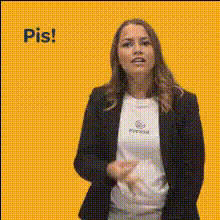
Blake Lively Talking Gesture
Overview
The Blake Lively Talking Gesture template enables you to create captivating video content by swapping faces with the popular actor. Whether you're crafting personalized messages or unique video content, this Video Face Swap template provides a seamless and compelling transformation.
What It Does
This template allows you to transform any video into an engaging clip featuring Blake Lively. By utilizing advanced face swap technology, it integrates Blake Lively's likeness into your chosen video file, making your content both intriguing and visually striking. Pair it with tools like the AI Voice Changer to enhance authenticity.
Who It's For
If you're a content creator, marketer, or influencer looking to add celebrity flair to your projects, this template is ideal for you. It's also perfect for social media enthusiasts who want to stand out with engaging and humorous content. Consider using it in tandem with the AI Talking Photo tool for even more dynamic results.
Summary
The Blake Lively Talking Gesture template is your gateway to producing standout video content with ease. Engineered for simplicity and high-quality output, it lets you tap into the allure of celebrity presence for social media ads, marketing campaigns, and more.
How To
Choose the Blake Lively Template

Customize Your Video

Generate and Download

Use Cases
Social Media Content
- Boost engagement with unique content
- Create eye-catching TikTok and Instagram Reels
Marketing Campaigns
- Create buzzworthy product announcements
- Use for interactive video ads
Entertainment Videos
- Develop fun, viral video content
- Great for memes and comedic skits
Best Practices
Optimal Lighting
Ensure your original video has good lighting to make the face swap realistic and seamless.Choose Appropriate Scenes
For the best results, use scenes where the subject is facing the camera, as side profiles may not match perfectly.Test Different Clips
Experiment with different scenes and expressions to achieve the most natural and humorous outcomes.