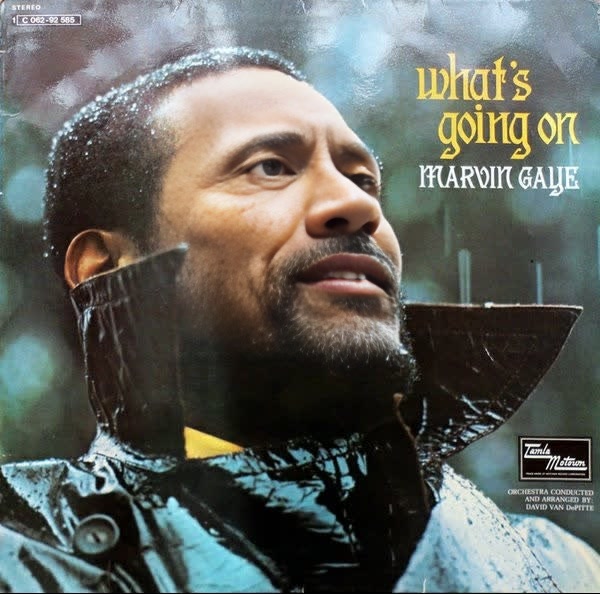
Marvin Gaye WhatS Going On Album Cover Portrait
- Image
- 600 × 594 px
Any aspect ratio
Overview
Step into the iconic world of Marvin Gaye with the "What's Going On" album cover portrait using our Video Face Swap template. This creative tool allows you to transform any photo into a tribute to Marvin Gaye's legendary album, capturing its essence and style.
What It Does
The template utilizes advanced face swapping technology to seamlessly integrate a different face onto the "What's Going On" album cover. Compatible with various formats, it creates a video file that brings still images to life. Learn more about our Video Face Swap technology.
Who It's For
This template is ideal for music enthusiasts, tribute creators, and anyone looking to personalize their media with a touch of musical history. Whether you're creating content for social media or crafting a unique tribute, this template offers a creative edge.
Summary
Transform your photos into a memorable tribute to Marvin Gaye's "What's Going On". Perfect for creative projects, this AI Video Generator tool taps into nostalgia while offering a personalized video experience. If you enjoy making unique transformations, check out the AI Image Editor for even more possibilities.
How To
Choose Your Template

Customize Your Inputs

Generate Your Video

Use Cases
Social Media Tributes
- Instagram posts
- TikTok videos
- Facebook stories
Music Video Projects
- Highlight reels
- Music video segments
Event Promotions
- Concert promotions
- Album anniversary celebrations
Best Practices
Choose High-Quality Photos
Use high-quality images for best results, especially in details and clarity.Align Correctly
Align the face properly with the album cover to ensure a natural look.Utilize Editing Features
Use additional editing tools available with AI Image Editor to refine your video further.