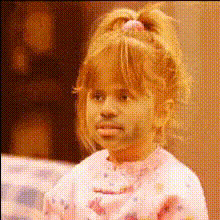
Girl trying on outfits
face-swap
Any aspect ratio
Tags
faceswapface swap testFace Swap Video Template for Scalable Character & Persona Content
This Face Swap template lets you replace the face in any video with a new identity in a few simple steps. It’s designed for production-quality character content, rapid experimentation, and scalable personalization—without reshoots or custom pipelines.
The template is powered by Magic Hour’s production-grade Face Swap engine, built for:
- Realistic expressions and natural eye gaze, even in dynamic scenes
- Consistent identity across every frame for series, campaigns, and recurring characters
- Robust performance on real-world footage, not just studio-perfect test clips
Use it when you need to ship high-quality character or spokesperson content quickly, while still respecting brand safety, consent, and legal standards around synthetic media.
Who This Face Swap Template Is For
- Creators testing new characters, formats, or fictional personas
- Marketers & growth teams localizing and personalizing campaigns without new shoots
- Startup teams prototyping product explainers, UGC-style ads, and onboarding flows
- Developers & automation teams building AI video workflows into internal tools or products
What This Face Swap Template Does
This template takes:
- A source video – the performance you want to keep (timing, motion, camera)
- A face image or portrait – the identity you want to insert (real person, synthetic persona, or brand character)
It then outputs a new video where the original face is replaced, while preserving:
- Body and head movement
- Facial expressions and lip movement
- Lighting, shadows, and perspective of the original scene
The same underlying technology powers:
- Face Swap Video Creator
- Face Swap for broader image and video use cases
- Face Swap for GIFs for short loops and reactions
In practice, teams use this template for:
- AI spokesperson videos (founder, CSM, or synthetic host)
- Localized or segmented campaigns with different on-screen personas
- Character-driven content (series, lore, mascots, narrative shorts)
- Rapid A/B testing of on-screen identity without recutting the script
How to Remix This Template in Magic Hour
You can clone this template in Magic Hour and adapt it to your own workflow—swap inputs, add steps, or chain it with other AI tools. At a high level, a remix looks like this:
Step 1: Start in the Face Swap Video Creator
- Open the Face Swap Video Creator.
- Upload your base video (actor performance, stock clip, product demo, or UGC-style footage).
- Upload a clear face image of the identity you want to insert (founder, sales rep, fictional character, or synthetic face).
- Generate your first face-swapped version to establish a working baseline.
Step 2: Run a Short Test Pass
- Use a short section of the video to validate:
- Face alignment with head position and angle
- Natural expressions and believable eye contact
- Behavior under occlusions (hands, hair, glasses, motion)
- Swap in alternative base clips or face images as needed until the result is reliable for your use case.
Step 3: Design or Standardize the Character Face
For recurring personas (brand avatars, long-running series, synthetic spokespeople), it’s worth designing a “master” face first and reusing it across content.
- Create or refine the identity:
- AI Face Generator to create fully synthetic faces with no real individual attached (useful for avoiding likeness issues).
- AI Headshot Generator for consistent, professional portraits of team members or hosts.
- AI Selfie Generator for casual, social-native personas.
- Edit and improve the portrait before swapping:
- AI Image Editor to refine backgrounds, lighting, and composition.
- AI Face Editor to adjust subtle attributes (expression, age, mood) while preserving identity.
- AI Image Upscaler to sharpen lower-resolution inputs for cleaner swaps.
Step 4: Turn It Into a Reusable Character Workflow
Once you have a high-quality identity image, treat it as a core asset and reuse it across multiple media types and pipelines.
- Use the same face in:
- Face Swap Video Creator for live-action and stock video.
- Lip Sync to match mouth movements to different languages or scripts.
- AI Talking Photo for lightweight talking-head clips from still images.
- Maintain a small internal library of:
- Base performance videos (core scripts, demos, intros, and reactions).
- Identity images (founders, regional hosts, brand characters, influencer avatars).
- Remix this template by swapping:
- Only the portrait – keep the script and performance identical across dozens of personas.
- Only the base video – reuse the same face across multiple scripts and formats.
Step 5: Export, Polish, and Repurpose
- After generating your face-swapped video, you can:
- Enhance resolution and clarity with Video Upscaler.
- Auto-generate subtitles for social and accessibility with Auto Subtitle Generator.
- Create short loops, reactions, and snippets using AI GIF Generator.
- Cut variants for TikTok, Reels, YouTube Shorts, landing pages, and paid ads from the same master asset.
Best Practices for High-Quality Face Swaps
1. Prioritize Strong Source Footage
- Use footage with even, clear lighting on the subject’s face.
- Avoid heavy motion blur, extreme close-ups, and ultra-fast cuts when possible.
- Minimize long occlusions—hands or objects fully covering the face for many frames.
If you don’t have suitable base footage, you can generate it first and then apply this face swap template:
- Image to Video to animate a still portrait into a moving shot.
- Text to Video to prototype scenes, camera moves, and basic performances from text prompts.
2. Use Clean, High-Quality Face Images
For the identity image you’re swapping in:
- Prefer a sharp, front-facing or 3/4 view with neutral lighting.
- Avoid heavy filters, strong color casts, or extreme shadows.
- Keep hairline, jawline, and key features unobstructed when possible.
To improve or generate better inputs:
- AI Photo Generator to synthesize clean, well-lit portrait photos.
- AI Image Generator to explore stylized or illustrative character faces.
- Unblur Image to rescue slightly soft or out-of-focus images.
3. Keep Characters Consistent Across a Series
For long-running campaigns, series, or product education content, consistency matters more than novelty.
- Reuse your master portrait across:
- Generate supporting angles, outfits, or expressions with:
- AI Character Generator for character sheets and variations.
- Animated Characters Generator for motion-ready designs.
Advanced Remix Ideas for Teams & Power Users
1. Build a Fully AI-Generated Spokesperson System
- Design the persona:
- AI Character Generator for realistic or stylized human hosts.
- AI Anime Generator for anime-style or Vtuber-like spokespeople.
- Avatar Generator for community, gaming, and social avatars.
- Animate the persona:
- Give static portraits motion using Image to Video.
- Create talking portraits for FAQs and micro-explainers with AI Talking Photo.
- Add voice and script:
- Generate natural-sounding narration via AI Voice Generator.
- Clone a specific voice (with consent) using AI Voice Cloner.
- Localize and personalize:
- Use Lip Sync to match lip movements to new languages and scripts.
- Apply this Face Swap template to produce different regional or audience-specific versions of the same message.
2. Personalize Marketing, Sales, and Onboarding Videos at Scale
- Record one master performance (product demo, onboarding sequence, founder welcome, or upsell pitch).
- Use Face Swap to:
- Swap in different sales reps, CSMs, or regional hosts while keeping timing and script identical.
- Test A/B persona variants (age, style, character type) without scheduling new shoots.
- Combine with:
- Auto Subtitle Generator to quickly support multiple languages and accessibility.
- AI QR Code Generator in end cards or overlays for tracking, attribution, and routing to custom landing pages.
3. High-Impact Social Content, Clips, and Memes
- Face swap:
- Team members or mascots into trending clips or classic scenes.
- Product moments into reaction or “before/after” memes.
- Community avatars into fan-created content.
- Design or refine mascots and visual identity with:
- Superhero Generator for bold, comic-style brand heroes.
- AI Logo Generator to spin off logos and icons inspired by your character.
- Turn face-swapped videos into snackable assets:
- Convert highlights into loops or reactions via AI GIF Generator.
- Add overlays, captions, and meme text using AI Meme Generator.
Combining Face Swap With Other Magic Hour Flows
This template is intentionally modular. You can chain it with other Magic Hour tools to build more complex AI video pipelines—without spinning up your own infrastructure.
- Video-to-Video Stylization
Run Video to Video after your face swap to transform the entire clip into cinematic, anime, comic, or other stylized looks while keeping the swapped identity intact. - Animation & Hybrid Content
Use the Animation creator to generate animated motion or scenes, then incorporate Face Swap or related character tools to blend live-action and stylized content. - Outfit & Visual Variants
Keep the same face but change wardrobe, fashion, or visual direction with: Use these tools to test multiple looks for different campaigns, seasons, or audience segments.
Ethical & Legal Considerations for Face Swap
Face swapping sits within the broader category of synthetic and deepfake media. Regulatory bodies and industry groups increasingly emphasize responsible use. In practice, teams should:
- Only use faces, images, and videos you own or have explicit rights and permission to use.
- Avoid impersonation, harassment, or misleading deepfakes—particularly of public figures or private individuals who have not consented.
- Be transparent when content is AI-generated or heavily edited, especially for:
- Political, financial, or health-related communication
- Ads, endorsements, or testimonial-style content
For professional teams, it’s worth formalizing:
- Internal guidelines on acceptable and prohibited uses of synthetic media.
- Talent and model releases that explicitly cover AI transformations, face swapping, and derivative uses.
Used responsibly, this template enables faster iteration, safer experimentation with synthetic personas, and more inclusive content strategies—without misrepresentation or confusion for your audience.
Template Summary
- Core template: Face Swap video template powered by Face Swap Video Creator
- What it delivers: Realistic face-swapped videos that preserve the original performance, timing, and camera work.
- Best suited for: AI spokespersons, localized or segmented campaigns, character-driven series, UGC-style ads, and rapid prototyping.
- Easy to extend: Chain with Lip Sync, Video to Video, and Animation plus tools like Image to Video and Text to Video to build full AI-native video pipelines.
Use this template as a starting point. Remix it with your own base videos, faces, and downstream tools; build a library of reusable personas and performances; and compose an AI video workflow that matches your product, campaign, or platform—without sacrificing control, quality, or responsibility.