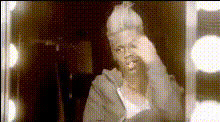
Girl Putting on Makeup
face-swap
Any aspect ratio
Tags
fashionmakeupGirl Putting on Makeup – AI Video Face Swap Template
Turn any face into a beauty creator in seconds. The “Girl Putting on Makeup” template uses Magic Hour’s AI Face Swap technology to place your face (or any face you own the rights to) into a high-quality makeup application video – no manual video editing required.
This template is built on the same engine that powers Magic Hour’s Face Swap Video creator, so you get realistic lighting, expressions, and skin tones that adapt to the original clip.
What This Template Does
- Instant AI face replacement: Upload a face photo, then generate a video where that face appears as the girl applying makeup. The AI preserves the original motion, angles, and timing of the tutorial while swapping in the new identity.
- Beauty & fashion-focused scenario: The base clip is framed like a typical beauty tutorial: clear close-ups, good lighting, and step-by-step application. This makes it perfect for content about makeup reviews, how‑tos, or beauty branding.
- Creator- and brand-ready output: Use the result as short-form content for TikTok, Instagram Reels, YouTube Shorts, or as B‑roll in longer videos, product pages, and ads.
How to Remix This Template in Magic Hour
You can recreate or extend this template by remixing it in Face Swap Video:
- Start with the Face Swap Video tool
Go to Face Swap Video. This is the core workflow behind this template and works with most portrait-style clips. - Choose a base video
Use the “Girl Putting on Makeup” base if it’s offered, or upload a similar beauty clip: front-facing, well-lit, and with clear facial visibility. Shorter vertical videos (for Reels/TikTok) tend to perform best for social content. - Upload your face (or your model’s)
Provide a high-quality, front-facing photo with good lighting. This helps the AI maintain realistic skin texture, contours, and facial structure in the final video. - Generate and iterate
Run the swap, review the result, and iterate with different faces (you, clients, models, characters) to build a whole series of makeup or fashion clips from the same base.
Once you’re comfortable with this template, consider chaining it with other Magic Hour tools:
- Lip Sync – turn your makeup character into a talking beauty host by syncing them to your voiceover or script.
- AI Talking Photo – generate talking thumbnails or profile videos from stills that match your swapped video persona.
- AI Voice Generator & AI Voice Cloner – create a consistent “beauty influencer” voice to narrate your videos.
- Video Upscaler – enhance resolution and detail if you’re repurposing content for higher-end campaigns or large-screen displays.
Best Use Cases for This Template
- Makeup tutorials for non-camera-shy brands
If you run a beauty brand or DTC store but don’t want to record yourself on camera every time, swap your (or a model’s) face into a library of pre-shot tutorial clips. This template is a fast way to test new product promos, styles, and hooks. - Creator experiments & content testing
Creators can prototype new personas, aesthetics, or content formats without scheduling full shoots. Use this template to:- Test hooks and scripts for TikTok/Instagram before committing to filming days.
- Localize content by swapping regional ambassadors into the same tutorial clip.
- Create A/B variants of ads with different faces and thumbnails.
- Concept content for agencies and startups
Agencies can quickly mock up spec ads or pitch visuals for cosmetics, skincare, and fashion brands using different models’ faces. Startups can use it to validate messaging and creative angles before hiring production teams. - UGC-style ads without full shoots
Combine this template with:- AI Voice Generator for UGC-style narration.
- Auto Subtitle Generator for on-screen captions that match paid social best practices.
How to Create Variants of This Template
If you like the structure of “Girl Putting on Makeup” but need different scenarios, you can build your own variants:
- Change the base video: Record or license a new clip of someone applying makeup, trying on outfits, or getting ready. Then run it through Face Swap Video as your new “template.”
- Turn stills into motion: Use AI Image Generator or AI Photo Generator to design a specific beauty character, then use Image to Video or Video to Video to animate them in a similar makeup sequence.
- Build branded looks: Design brand-specific avatars with tools like Avatar Generator or AI Headshot Generator, then keep using those faces across multiple makeup and fashion videos for consistent brand identity.
Workflow Ideas for Creators & Teams
For creators, marketers, and startup teams looking for repeatable workflows, this template fits into a broader AI-native content pipeline:
- Generate or capture the persona
Use a real photo, or generate one via AI Face Generator or AI Character Generator. This becomes the “face” you reuse across campaigns. - Apply the persona to makeup content
Run that face through the “Girl Putting on Makeup” template in Face Swap Video to instantly place it in a beauty tutorial context. - Extend into talking content & variations
Use:- Lip Sync to match lips to your script or audio.
- Text to Video for generating additional scenes or B‑roll from written prompts.
- AI GIF Generator to turn key makeup moments into looping GIFs for email or social.
- Polish and finalize assets
Clean up supporting visuals with:- AI Image Editor or Remove Object From Photo for stills.
- Image Background Remover to isolate products or faces for thumbnails.
- Thumbnail Maker to create scroll-stopping covers for YouTube or Reels.
Tips for Realistic, On-Brand Face Swaps
- Use high-quality reference faces: Clear, front-facing photos with even lighting and minimal obstructions (no heavy shadows, large sunglasses, etc.) consistently produce the most realistic swaps.
- Match skin tone and lighting: For the most natural result, choose reference faces whose skin tone and lighting roughly match the base video’s environment.
- Stay consistent across content: Reuse the same face across multiple makeup videos to build a recognizable persona. You can even pair that persona with a consistent voice using AI Voice Generator or AI Voice Cloner.
- Respect rights and consent: Only swap in faces you have legal rights and permission to use. This is especially important when working with clients, models, or public figures.
Related Magic Hour Tools for Beauty & Fashion Content
If you’re building a full stack of AI-powered beauty or fashion content, these tools pair well with the “Girl Putting on Makeup” template:
- AI Clothes Changer – test different outfits on the same model or persona without reshooting.
- AI Outfit Generator – generate outfit ideas and lookbooks around your makeup styles.
- AI Selfie Generator – create social-ready selfies that match your makeup persona.
- Photo Colorizer and Old Photo Restoration – repurpose legacy beauty imagery into modern-looking assets.
Why This Template Works for Serious Creators & Teams
For time-constrained creators, marketers, and startup builders, this template reduces the cost of high-quality beauty content to three inputs: a base video, a face, and a script or concept. Instead of coordinating shoots, talent, and editing, you can:
- Rapidly prototype campaigns and angles for beauty and fashion products.
- Localize or personalize content by swapping in different faces for different markets or audiences.
- Maintain a consistent visual persona across multiple channels with minimal overhead.
Remix the “Girl Putting on Makeup” template today in Face Swap Video and build a reusable, AI-native workflow for beauty and fashion content that scales with your brand.