Ariana Grande Wicked Movie
face-swap
Any aspect ratio
Tags
moviesAriana Grande “Wicked” Movie Face Swap Video Template
Overview
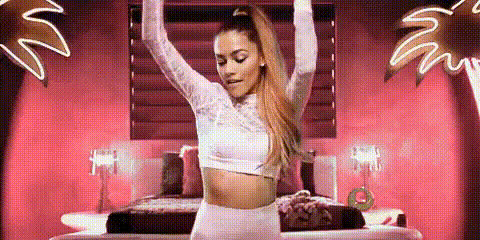
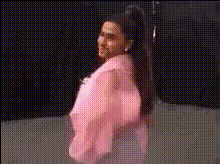
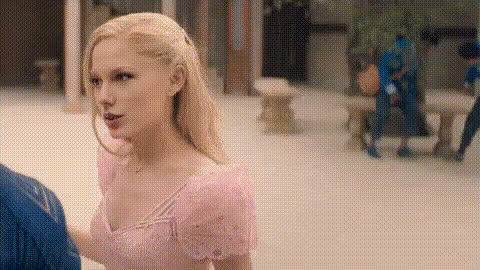
Turn yourself (or anyone) into Ariana Grande’s Glinda from Wicked in a few clicks. This template is built on Magic Hour’s AI Face Swap engine and lets you create cinematic, share‑ready “Wicked” edits without manual masking, keyframing, or VFX skills.
Use it for TikTok skits, YouTube shorts, fandom edits, meme content, or concept tests for marketing campaigns. The template is fully remixable in Magic Hour, so you can swap in your own source clips, faces, and creative ideas while keeping the same structure and pacing.
What This Template Does
- AI Face Swap with Ariana‑style footage
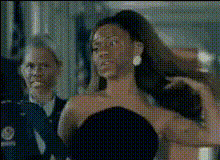
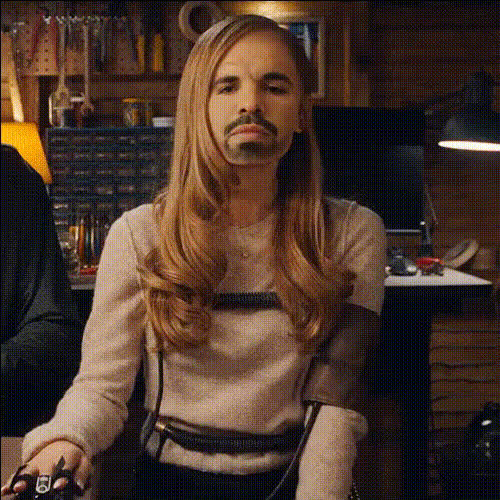
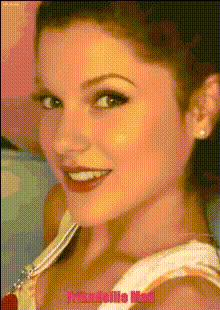
Automatically replaces Ariana Grande’s face in the sample Wicked-inspired clip with any face you upload (your own, a friend, another character, or a synthetic face). Powered by Magic Hour’s AI face swap technology for temporally consistent, frame‑by‑frame results. - Remixable structure
Swap out:- The base “Wicked”‑style video with your own footage using Face Swap Video or Video to Video.
- The target face with any selfie, headshot, or character you generate via the AI Image Generator or AI Character Generator.
- High‑quality facial alignment
The template is optimized around medium-closeup, expressive shots that work well with modern face‑swap models described in research like “FaceShifter” and “SimSwap.” That means:- Stable identity over time.
- Good lip and eye alignment with the original actor.
- Preserved lighting and shading from the base footage.
Why “Wicked” and Ariana Grande Work So Well for Face Swap
Ariana Grande’s Glinda in Wicked (Universal’s 2024 adaptation of the Broadway musical) has become a highly referenced visual style online: bright lighting, stylized costumes, and strong facial performance. Those characteristics make this type of footage especially effective for AI face swapping:
- Clear lighting and makeup help the model understand facial structure.
- Stable camera angles in musical sequences reduce artifacts.
- Expressive acting makes the final swap feel more “alive” and engaging for social platforms.
Creators have been using similar “put yourself in the movie” edits across TikTok, Reels, and YouTube Shorts to:
- Build fan channels around particular IPs.
- Prototype UGC ad concepts without full productions.
- Experiment with character identity in storytelling and parody formats.
How to Remix This Template in Magic Hour
You don’t need to recreate the template from scratch. Instead, open it, duplicate it, and swap in your own assets:
- Start from a Face Swap Video template
Go to Face Swap Video. Choose the “Ariana Grande Wicked Movie Face Swap” template if available, or start from any similar face‑swap video template with a closeup, cinematic shot. - Upload your “target” face
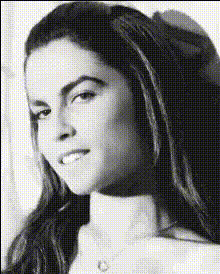
Use:- A well‑lit selfie or portrait (front‑facing, minimal occlusion).
- A generated headshot from the AI Headshot Generator.
- A stylized avatar from the Avatar Generator or Anime Generator.
- Swap or replace the base video
- Keep the provided “Wicked”‑style clip and just change the face; or
- Paste in your own performance (e.g., you acting out a musical line, a cosplay clip, or a reaction shot) and run it through Video to Video first to stylize it in a fantasy / musical look, then apply Face Swap.
- Optional: add lip‑sync or talking photo
If your base footage is static or minimal:- Animate a still image of Ariana‑style Glinda using AI Talking Photo.
- Then sync it to dialogue or a song using the Lip Sync template and, if needed, clone your voice with AI Voice Cloner.
- Export and repurpose
Once you’re happy with the preview, export the video. You can then:- Cut vertical clips for TikTok/Shorts and add captions with the Auto Subtitle Generator.
- Turn short loops into GIFs with the AI GIF Generator or Face Swap GIF tool.
Best Practices for High‑Quality AI Face Swaps
- Use clean, high‑resolution face images
Avoid heavy filters, sunglasses, hands over the face, or extreme side profiles. If your source image is blurry, sharpen it with Unblur Image or AI Image Upscaler first. - Match pose and angle
Face swap models perform best when the pose of the input face roughly matches the actor’s pose. For this Ariana/Glinda‑style template, front‑facing or slightly angled selfies work best. - Keep lighting consistent
If your face photo looks like it was shot in a dark room and the “Wicked” clip is bright stage lighting, realism drops. Adjust or regenerate your input image using the AI Image Editor or AI Photo Generator to better match the lighting. - Refine the base footage
If the underlying video is low quality or noisy, upgrade it with the Video Upscaler before or after the face swap so details hold up on larger screens. - Respect IP and likeness rights
Always check platform terms and local laws when using celebrity likenesses or copyrighted footage, especially in commercial or monetized projects. Use the template as creative inspiration, and consider generating original characters via the AI Character Generator or AI Art Generator when you need safer, fully synthetic identities.
Use Cases for Creators, Marketers, and Builders
- Fandom & parody content
Re‑cast yourself as Glinda in key “Wicked” moments, create duet‑style content, or produce parody trailers where your team plays all the main roles. - Concept testing for campaigns
Marketing teams can quickly prototype “put the viewer in the story” ad concepts by swapping a generic actor with a campaign persona or avatar generated via the AI Selfie Generator. - Character‑driven storytelling
Build recurring characters—e.g., a “tech Glinda” that explains your product—by combining:- This face swap template.
- Voiceovers from the AI Voice Generator or AI Voice Changer.
- Stylized backgrounds generated with the AI Background Generator.
- UGC and community challenges
Run a “Become Glinda” challenge: share a remixable Magic Hour project with your audience, ask them to drop in their own face and line read, then stitch the best ones into a compilation.
Advanced Remix Ideas
- Multi‑character swaps
Combine this template with the Animation and Video to Video tools to create a full cast:- Generate stylized versions of Elphaba, Glinda, and supporting characters.
- Face swap your team or friends onto each role.
- Animate transitions between scenes using AI animation.
- Meme formats & shorts
Use the AI Meme Generator with stills from your swapped video to create templates that repeat a punchline, then link back to the full video. - Stylized visual experiments
After doing the face swap, push the aesthetic further:- Convert frames into comic‑book style with the Comic Book Generator.
- Re‑imagine Glinda in anime style using the Anime Generator or Disney AI Generator.
- Create album‑cover‑style key art from your best frame with the Album Cover Generator.
How to Build Your Own “Celebrity Movie” Face Swap Template
You can generalize this Ariana Wicked setup to any cinematic style:
- Choose a high‑quality reference performance (clear frontal shots, stable lighting).
- Run it through Face Swap Video and test multiple face inputs (selfies, generated heads, stylized avatars).
- Save the best combination as a reusable project in Magic Hour so you—or your team/community—can drop in new faces later without redesigning the flow.
- Create companion assets:
- Thumbnail using the Thumbnail Maker.
- Looping GIF via the GIF Generator.
- QR code linking to the template using the AI QR Code Generator.
Ethical & Practical Considerations
- Platform policies: Major platforms (TikTok, YouTube, Instagram) are evolving guidelines around AI‑generated and synthetic media. Clearly label AI edits and avoid misleading viewers in sensitive contexts.
- Likeness & rights: Celebrity likeness, trademarks, and copyrighted footage can be restricted in commercial contexts. When in doubt, favor original or AI‑generated characters using tools like the Character Generator, Face Generator, and Outfit Generator.
Where to Go Next
- Make your own version of this template right now with Face Swap Video.
- Turn still Ariana/Glinda photos into animated talking clips using AI Talking Photo and Lip Sync.
- Explore other creative AI tools in Magic Hour’s ecosystem—such as Text to Video, Image to Video, and the AI Image Editor—to build end‑to‑end AI‑assisted production workflows.
By using and remixing this Ariana Grande Wicked Face Swap template, you can rapidly prototype ideas, validate content formats, and ship polished video experiments without assembling a full production stack—ideal for creators, marketers, and product teams who need high output with tight time constraints.