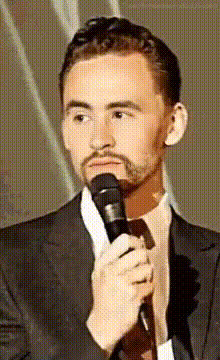
Tom Hiddleston Loki Bailando Epocamente

Magic Hour Profile Picture
by kpop_stan

face-swap

1 clip
16 uses

Any aspect ratio

Tom Hiddleston Loki “Bailando Epicamente” – Face Swap Video Template

Create your own Loki dance meme in minutes. This template uses Magic Hour’s AI Face Swap technology to put Tom Hiddleston’s Loki-style face on a dancing body, so you can generate sharable, on‑brand meme videos for campaigns, fan pages, or personal projects.

What This Template Is

This template is inspired by the internet’s love of Tom Hiddleston as Loki in the Marvel Cinematic Universe and the long‑running trend of “Loki dancing” edits. By starting from a pre‑built Face Swap setup, you skip the manual compositing work and go straight to customizing:

  • Swap in Loki‑style or Tom Hiddleston‑inspired faces on a dancing clip
  • Add your own captions, memes, and overlays for TikTok, Reels, or Shorts
  • Remix the concept for memes, fan edits, brand jokes, or reaction content

Because everything runs in the browser with Magic Hour, you don’t need traditional video‑editing software or VFX skills.

How the Template Works (High‑Level)

The template is built on the same underlying engine as Magic Hour’s core AI Face Swap and Face Swap Video tools. Under the hood, these systems typically use deep learning models trained on facial landmarks and identity features to:

  1. Detect and track faces frame‑by‑frame
  2. Reconstruct a target face (e.g., Loki‑style) with consistent lighting and pose
  3. Blend the generated face onto the original video while preserving expressions and timing

For you, that translates into: upload a source video, choose a face, preview, and export. The template simply gives you a ready‑made “Loki dancing epically” scenario to start from.

How to Remix This Template in Magic Hour

You can create your own version of this Loki dance template by remixing it directly in Magic Hour. A typical workflow:

  1. Start from Face Swap Video
    Open Face Swap Video. Think of this as your base engine for any meme or character‑driven edit.
  2. Choose your base dance clip
    Use:
    • A stock dancing video you have rights to
    • Your own footage (e.g., you or a friend dancing)
    • Clips you’ve already stylized with Video to Video or Text to Video
  3. Select or upload the face
    Import a face reference that evokes Tom Hiddleston‑as‑Loki (within your legal and platform policy constraints), or use any other character face for your own spin. You can also generate stylized faces with:
  4. Preview and refine
    Use the preview to check:
    • Face alignment and expressions on dance moves
    • Consistency of the swapped face across fast motion
    • Whether the style (realistic, comic, anime) matches your intended meme
  5. Add meme elements and branding
    After your face swap looks good, enhance the clip by:
  6. Export for your target platform
    When you’re happy with your Loki dance clip, export and then optionally:
    • Upscale with Video Upscaler for cleaner output
    • Auto‑subtitle with Auto Subtitle Generator for accessibility and engagement
    • Generate multiple aspect ratios by cutting different crops from the same master

Advanced Remix Ideas for Creators & Teams

If you’re a creator, marketer, or startup team, you can adapt this “Loki Bailando Epicamente” template into more strategic formats:

  • Brand reaction memes
    Swap Loki’s face onto your founder, mascot, or influencer partner and add on‑screen captions tied to product launches, pricing announcements, or campaign beats.
  • Localization & A/B testing
    Create multiple character variants (e.g., Loki‑style, anime villain, superhero) using: Then test which persona performs best in specific regions or communities.
  • Storytelling series
    Use the same dance clip but:
    • Swap different faces per episode
    • Change the environment using Video to Video (e.g., Asgard club, office party, startup pitch night)
    • Convert still Loki‑style images into motion with Image to Video, then face‑swap again for layered effects
  • Cross‑format content
    From the same base template, generate:

Related Magic Hour Tools for “Loki Dancing” Content

To extend this template into a full content pipeline, combine Face Swap with:

  • Face Swap GIF – Turn short Loki dance moments into lightweight GIFs for replies, Discord, Slack, or community chats.
  • AI Talking Photo – Make Loki‑style still images speak for pre‑ or post‑dance commentary.
  • Lip Sync – Sync Loki’s mouth to audio memes, voice lines, or dubbed commentary.
  • AI Voice Cloner & AI Voice Generator – Generate character‑style voiceovers to pair with your dance sequences (subject to relevant policies and rights).
  • AI Image Editor & Image Background Remover – Prep image assets, remove backgrounds, and quickly iterate on character looks or costumes.
  • AI Outfit Generator & AI Clothes Changer – Re‑imagine Loki‑style outfits for themed campaigns or parody versions of the character.

Popular Use Cases & Variations

Users remixing this template commonly create:

  • Epic dance edits – Loki‑style face on viral dance trends, synced to trending audio and shared on TikTok, Instagram Reels, and YouTube Shorts.
  • Comedic skits and reaction clips – Loki dancing after “good news” moments (e.g., fundraising, product milestones, in‑game wins), often overlaid with captions.
  • Stylized fan concepts – Anime Loki, comic‑book Loki, or Disney‑inspired Loki using tools like Disney AI Generator, then brought to life via Animation or Animated Characters Generator.
  • Campaign‑specific memes – Startups and marketing teams use the same base dance, but face‑swap in founders, fictional mascots, or AI‑generated characters to avoid IP issues.

Tips for High‑Performance Loki Dance Content

  • Focus on the moment – Choose a short, high‑impact section of the dance (2–10 seconds) for loops and GIFs; longer edits for YouTube Shorts.
  • Ensure clean source footage – Good lighting, clear facial angles, and non‑blurry movement lead to better face swaps and fewer artifacts.
  • Stay within rights and policies – When working with recognizable likenesses or copyrighted characters, make sure your use complies with applicable law, platform rules, and Magic Hour’s usage policies.
  • Combine motion + voice – Pair the dance with a generated voice or lip sync for punchy, narrative‑driven memes.

Start Remixing the “Loki Bailando Epicamente” Template

If you want to build your own Loki‑style dance meme system—rather than a one‑off video—the key is to treat this template as a reusable pattern:

Remix the template, test different characters and hooks, and turn the “Tom Hiddleston Loki Bailando Epicamente” idea into a repeatable format for your channel, brand, or community.

More Like This