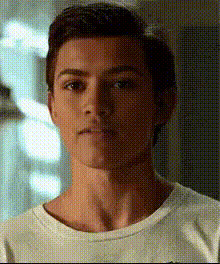
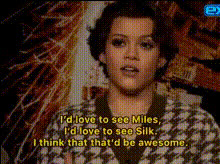
Tom Holland quackson edit

Magic Hour Profile Picture
by kpop_stan

face-swap

1 clip
2 uses

Any aspect ratio

Tags

movies

Tom Holland “Quackson Edit” Face Swap Video Template

Create Viral Tom Holland Quackson Memes in Minutes

Turn the Tom Holland “Quackson” meme into a share‑ready video in just a few clicks. This template uses Magic Hour’s AI Face Swap technology so you can instantly drop your own face (or a friend’s) into iconic Tom Holland clips and spin up short-form meme content for TikTok, Reels, YouTube Shorts, or Twitter/X.

You can remix this template directly with Magic Hour’s Face Swap Video creator, or build your own variation using any Tom Holland clip, fan edit, or meme format you already have.

What Is the “Quackson” Meme?

The “Quackson” meme grew out of Tom Holland’s reputation as a self-aware “walking meme” and fan culture around his Spider‑Man era interviews. Fans began combining:

  • Tom Holland reaction clips
  • Absurd dating or fan scenarios
  • Goofy animal nicknames (e.g., “Quackson” – a duck pun)

From there, editors started using AI face swap tools and meme audio to exaggerate the joke: Tom Holland as an over-the-top, hyperbolic version of himself, often layered with surreal humor, fanfic references, or “if Tom Holland…” POV skits.

If you’ve seen edits like “Tom Holland would totally…” paired with chaotic captions or overdramatic filters, this template is designed to help you create that style of content fast, without manual masking or frame‑by‑frame compositing.

Who This Template Is For

  • Creators who want a repeatable meme format that can be remixed daily.
  • Social media managers looking for low-friction, personality-driven content for entertainment or fandom accounts.
  • Developers & startup teams experimenting with AI content pipelines, fan engagement, or UGC‑style campaigns.

How to Remix This Template in Magic Hour

You don’t need video editing experience. To create your own “Tom Holland Quackson Edit” variant:

  1. Open the Face Swap Video creator
    Go to the Face Swap Video page. This is where you’ll build and remix your Quackson edits.
  2. Upload your base clip
    Use any short Tom Holland or Tom‑style clip (interviews, movie scenes, fan edits, reaction videos). For meme formats, fast, expressive shots work best: close‑ups, reaction faces, or dramatic lines.
  3. Add the face you want to swap in
    Upload a clear photo or frame of the face you want to swap onto Tom Holland (your own, a character, a friend, or a fictional persona). The Face Swap engine will handle alignment, lighting, and expression.
  4. Generate the face swap video
    Run the swap and preview the output. If needed, try a different source photo (front-facing, good lighting, no sunglasses) for more natural results.
  5. Layer in the “Quackson” joke
    Add:
    • Captions or on-screen text with your Quackson punchline
    • Existing meme audio or your own recorded line
    • Callouts like “POV: Tom Holland is actually Quackson” or “When Tom Holland meets his #1 duck fan”
    For talking edits from a single photo, you can also combine this with AI Talking Photo or Lip Sync to sync your lines to Tom’s lips.
  6. Polish and export
    Trim, crop, and format for your platform (9:16 for TikTok/Reels/Shorts, 1:1 or 4:5 for feeds). Then export and post directly to your channels.

Ideas for Advanced Quackson Remixes

Once you’ve tried the basic template, you can push the format further:

  • Animated Tom Holland Quackson
    Generate a cartoon or anime version of Tom with the AI Anime Generator or Animated Characters Generator, then swap faces on top using Face Swap Video for a stylized, fan‑edit feel.
  • POV storytelling sequences
    Use multiple clips and splice several face swaps together: “POV: Tom Holland discovers he’s Quackson,” “POV: your friend finds your Tom Holland edits,” etc. Stitch with jump cuts and recurring text hooks for a mini‑series effect.
  • Text-to-scene + face swap
    With Text-to-Video or Image-to-Video, create surreal scenes (e.g., “Tom Holland as a duck superhero in a neon city”), then overlay your Quackson face swap for layered absurdity.
  • Meme crossovers
    Combine Quackson with other meme formats using the AI Meme Generator. Add classic meme captions, template panels, or reaction formats (“He’s just like me fr,” “No thoughts, only Quackson”).
  • Face swap GIFs
    Turn short Quackson loops into shareable GIFs with Face Swap GIF and the AI GIF Generator for Discord, Reddit, and group chats.

Best Practices for High-Quality Quackson Edits

  • Use clean, sharp source images
    For the swapped face, choose a clear, front-facing image with even lighting. This significantly improves realism and expression matching in the AI Face Editor pipeline.
  • Keep the joke tight
    High-performing short-form memes usually land in 6–15 seconds. Hook viewers in the first 1–2 seconds with text like “POV: Tom Holland actually sees your edits” or “What Tom Holland thinks of Quackson.”
  • Match motion and emotion
    Pick base clips where Tom’s expressions match the tone of your joke—overly dramatic for absurd humor, deadpan for dry irony. Face swaps feel most seamless when expression, head angle, and pacing fit your punchline.
  • Optimize for mobile viewing
    Assume vertical, sound‑on but scroll‑fast viewing. Use bold subtitles, clear top/bottom captions, and strong contrast so the gag is legible even when autoplayed on mute.
  • Respect platform and IP guidelines
    Always follow each platform’s content and copyright policies, and use Tom Holland–related content within fair‑use or licensing constraints. For fully safe-to-own assets, generate lookalike “fan-inspired” characters using the AI Character Generator instead of real-person footage.

Combining With Other Magic Hour Tools

To build richer Tom Holland–style meme systems or automated content pipelines, consider pairing this template with:

Template Remix Checklist

When you create your own version of this template in Magic Hour, you can use this as a quick production checklist:

  • ✔ Choose a short, expressive Tom Holland (or Tom‑style) clip
  • ✔ Prepare a high‑quality face photo for swapping
  • ✔ Run the swap in Face Swap Video and preview
  • ✔ Add on-screen text with your Quackson gag
  • ✔ Optionally add meme audio, AI voice, or lip sync
  • ✔ Format for your target platform and export
  • ✔ Iterate with new faces, captions, and clips to build a series

Why Use Magic Hour for Face Swap Memes?

  • Production-ready quality: Outputs optimized for social platforms, with natural lighting and expression handling.
  • Fast iteration: Once your base flow is set, you can generate multiple Quackson variations in a single session.
  • Expandable stack: Integrates with tools like Text-to-Video, AI Talking Photo, and AI Meme Generator for more complex content systems.

Use this “Tom Holland Quackson Edit” template as a starting point, then remix it into your own repeatable meme format, series, or AI content workflow inside Magic Hour.

More Like This