Volleyball Dive

face-swap

1 clip
4 uses

Any aspect ratio

Tags

sports

Volleyball Dive Face Swap Video Template

Create a pro‑level volleyball highlight in minutes by putting any face into a slow‑motion dive play. This Volleyball Dive template uses Magic Hour’s AI Face Swap to replace the athlete’s face with your own, a teammate, an influencer, or a brand ambassador—while keeping the original motion, lighting, and camera movement.

What This Template Does

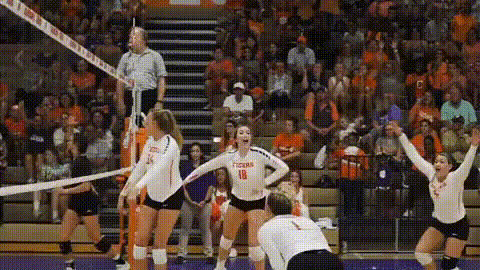
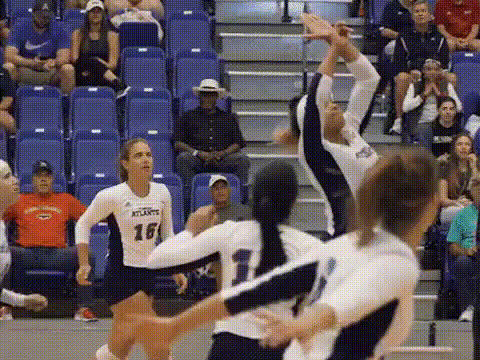
  • High‑impact sports shot: A dynamic clip of a volleyball player diving for the ball—perfect for hype videos, social promos, and short‑form content.
  • Seamless AI face swap: Automatically maps your chosen face to the player’s head, maintaining expressions, angle, and perspective for a natural look.
  • Ready for social & campaigns: Export a polished clip you can plug directly into TikTok, Reels, YouTube Shorts, or ad creatives.
  • Remixable for other ideas: Use this scene as a starting point to build your own series of “face‑swap sports moments” in Magic Hour.

Who This Template Is For

  • Creators & streamers who want quick, viral‑style sports edits with themselves or their communities in the play.
  • Marketers & brand teams running sports, fitness, or campus campaigns who need eye‑catching clips without a full video shoot.
  • Startups & apps in sports, betting, fantasy leagues, or wearables looking for engaging product or social content.
  • Coaches, clubs, and schools that want fun, shareable videos for recruitment, team intros, and event promos.

How to Use This Volleyball Dive Template

  1. Start from the Face Swap video tool
    Open the Volleyball Dive template from the Face Swap Video page. This loads a pre‑configured dive scene so you don’t have to set anything up from scratch.
  2. Upload the face (or faces) you want to feature
    Add a clear photo or short clip of the person whose face you want on the player. For the most natural result, use:
    • Good lighting and minimal occlusion (no big sunglasses, masks, etc.).
    • Frontal or slightly angled shots with a neutral expression.
    • At least one HD image for each person you want to swap in.
  3. Apply the face swap to the dive scene
    Select the uploaded face and apply it to the primary player in the Volleyball Dive clip. Magic Hour’s Face Swap engine automatically handles tracking, blending, and frame‑by‑frame consistency.
  4. Add context and branding
    Turn the raw dive moment into a finished asset:
    • Overlay a short headline (e.g., “Season Opener,” “Tryouts 2025,” “Road to Nationals”).
    • Add your logo or watermark for social sharing.
    • Include a URL, call‑to‑action, or event date for campaigns.
  5. Export and publish
    Export your finalized clip and upload it to TikTok, Instagram, YouTube, or your ad manager. You can also reuse it inside Magic Hour as one scene in a longer video.

Remix Ideas: Build Your Own Version in Magic Hour

You’re not limited to the stock Volleyball Dive clip. Use this template as a blueprint and remix it into custom scenarios:

  • Create a full sports highlight reel
    Combine this template with other AI‑generated or uploaded clips. For dynamic motion shots, you can chain it with:
    • Video to Video – stylize or re‑render your volleyball footage into a unified visual style (e.g., anime, comic, cinematic).
    • Video Upscaler – sharpen older or low‑res volleyball clips to match the quality of the template.
  • “You vs. Pro” comparison content
    Use the Volleyball Dive as the “pro” play, then:
    • Record a real clip of your own dive.
    • Use Face Swap Video to align faces across both clips.
    • Cut them side‑by‑side into one sequence inside Magic Hour.
  • Anime or comic‑style volleyball edits
    Turn the dive into stylized fan content:
  • Talking player intros
    Pair this explosive dive shot with a character intro:
  • Fan‑engagement or UGC campaigns
    Invite your audience to “get in the game”:
    • Have fans submit selfies.
    • Batch‑create personalized dive clips with Face Swap or Face Swap GIF for shareable reactions and stories.
    • Pair with AI Meme Generator to turn the dive into on‑brand sports memes.

Production Tips for Best Results

  • Choose strong source faces
    For realistic swaps, prioritize:
    • High‑resolution images with the face fully visible.
    • Neutral or focused expressions that match the intensity of a dive.
    • Lighting that isn’t drastically different from the original clip.
  • Keep the motion believable
    Face swap works best when the physical build and movement of the subject are roughly plausible for the person you’re swapping in (e.g., similar age and body type). This makes the final video more convincing for viewers and ad platforms.
  • Reinforce your brand
    Use this template as a branded building block:
  • Optimize for short‑form platforms
    Sports content performs well as 5–15 second clips. Use the Volleyball Dive as:
    • The hook at the start of a TikTok or Reel.
    • A punchline or payoff at the end of a training tip or player story.
    • A looping GIF using AI GIF Generator for Discord, Twitter/X, and community chats.

Advanced Workflows With Other Magic Hour Tools

If you’re building a more complete sports content pipeline, this template fits into broader Magic Hour workflows:

Use Cases: Where This Template Performs Best

  • Team & club promotions – Season launch trailers, tryout promos, tournament hype content featuring coaches, captains, or star players via face swap.
  • Creator sports content – “POV: You’re the libero,” “Me in the finals,” and other personality‑driven edits that put the creator in pro‑looking plays.
  • Brand campaigns – Sportswear, nutrition, and fitness brands embedding ambassadors’ faces into high‑impact volleyball moments to localize or personalize creatives.
  • Fan engagement – Clubs and leagues offering fans their own “pro dive” clip for contests, loyalty programs, or ticket promotions.

Ethics & Best Practices

When using AI face swap in sports content, keep in mind:

  • Consent: Only swap in faces of people who have given you permission, especially for commercial or public campaigns.
  • Disclosure: For brand, political, or sensitive contexts, clearly label AI‑generated content to maintain audience trust.
  • Reputation: Avoid using face swaps in contexts that could mislead viewers about an athlete’s actual performance, endorsements, or affiliations.

The Volleyball Dive Face Swap Video Template is designed as a fast, reliable building block for high‑impact sports clips. Start from the template on the Face Swap Video page, swap in your own face or your talent’s, and then remix it with Magic Hour’s broader toolset to create a full, on‑brand volleyball story in minutes—not days.

More Like This

Insufficient credits