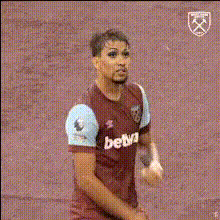
Antony Fidget Spinner Soccer
face-swap
Any aspect ratio
Tags
sportsAntony Fidget Spinner Soccer – Face Swap Video Template
Turn Your Soccer Clips into a Pro-Level Highlight with Face Swap
The Antony Fidget Spinner Soccer template is a ready‑to‑remix Face Swap video for creators who want fast, eye‑catching football content. Record your own trick shots, then instantly transform yourself into Brazilian winger Antony while you juggle, dribble, and play with a fidget spinner. The result: short, high‑impact clips that look like a professional player is performing your moves.
This template is built on Magic Hour’s AI Face Swap technology and can be remixed by anyone—no video-editing experience required.
What This Template Does
This template combines:
- Face Swap Video – Your original performance, but with Antony’s face mapped onto yours in motion.
- Soccer Skills – Freestyle juggling, dribbling, or trick shots that you record on your phone or camera.
- Fidget Spinner Gimmick – A visual hook that makes the clip instantly distinctive and “thumb‑stopping” in feeds.
You keep your body, movement, and style; the template swaps in a realistic face so it looks like Antony is the one pulling off your combo.
What Is Face Swap (and Why It Works So Well in Short-Form Video)?
Face Swap in Magic Hour uses AI to detect a face in your source video and replace it with another face while preserving expressions, lighting, and motion. When used responsibly, it’s a powerful creative tool for:
- Character-based content – Put specific players or personas into your clips.
- Social campaigns & challenges – Rapidly generate variations for TikTok, Reels, and Shorts.
- Meme and trend adaptation – React quickly to football moments, transfer rumors, or big matches.
On Magic Hour, you can explore and remix Face Swap templates via the Face Swap Video template gallery or use the more flexible Face Swap product for fully custom clips.
Who Is Antony?
Antony Matheus dos Santos is a Brazilian professional footballer known for his flair on the wing, quick footwork, and trick-heavy style of play. He gained international attention at AFC Ajax, where his dribbling and creativity made him one of the Eredivisie’s standout young players, and he has represented Brazil at senior level, including contributing to Brazil’s Olympic gold medal in men’s football at Tokyo 2020. His signature style—stepovers, skill moves, and showmanship—makes him a perfect match for freestyle and trick-shot content.
How to Remix This Template in Magic Hour
You don’t need to “download” anything—everything runs in the browser. To create your own version of the Antony Fidget Spinner Soccer video:
- Open a Face Swap base
Go to the Face Swap Video template page. Choose this Antony template (or a similar soccer template) as your starting point. - Upload your soccer footage
Record yourself doing any combination of:- Keepie‑uppies / juggling
- Ground moves and dribbling
- Fidget spinner tricks while juggling a ball
- Simple passes, shots, or celebrations
- Use Antony as the target face
Select the Antony face from the template. The AI will map his face onto yours throughout the entire clip so it looks like Antony is doing your moves. - Preview and generate
Generate the Face Swap video. Review the result; if some moves are off‑frame or too fast, re‑record a cleaner take and rerun the swap for the best realism. - Export and publish
Download the result and post it to TikTok, Instagram Reels, YouTube Shorts, X, or your website.
Ideas to Level Up This Template
Once you’ve created a base Antony clip, you can stack other Magic Hour tools to build more advanced content:
- Turn your Antony clip into an animation or stylized edit
Run your Face Swap output through Video to Video to restyle it as anime, comic art, or painterly visuals, or through the Animation templates to turn your soccer tricks into a fully animated highlight. - Create talking promo clips or commentary
Use AI Talking Photo to animate a static Antony-style headshot and pair it with AI Voice Generator or AI Voice Cloner to have “Antony” introduce your challenge or shout out your brand. - Make looping memes and GIFs
Convert key moments—like a fidget‑spinner nutmeg—into short loops using AI GIF Generator or a Face Swap GIF workflow via Face Swap GIF. - Enhance quality for brand use
If you’re using the video in campaigns or paid media, upscale and clean it up with Video Upscaler or sharpen stills with AI Image Upscaler.
Best Practices for High-Performing Soccer Face Swap Videos
- Frame for the face
Keep your head and upper body in frame as much as possible so the Face Swap model can track consistently, especially during fast footwork. - Use clear, even lighting
Good front lighting (daylight or soft indoor light) improves realism. Avoid heavy backlight and extreme shadows. - Prioritize simple, repeatable tricks
Short, looping skills—juggling, stepovers, around‑the‑worlds—perform better in vertical feeds than long, complex sequences. - Add sound and context
Use platform-native music and on‑screen text (e.g., “Beat Antony’s fidget spinner challenge”) after export in your editing app or within the social platform. - Respect rights and transparency
When using recognizable faces, make sure you have appropriate rights or use lookalike / stylized faces. Clearly label AI‑generated or Face Swap content where relevant for your audience and partners.
Example Use Cases for Creators and Teams
- Creators & streamers
Turn your training clips into “pro‑player” highlights. Pair with Lip Sync templates to have your Antony avatar react to match results or transfer rumors. - Clubs, academies, and coaches
Run weekly skills challenges where players submit their own clips remixed with this template. Create side‑by‑side compilations using Face Swap videos from multiple players. - Brands & campaigns
Build snackable ads or social teasers featuring a consistent “Antony‑style” character demonstrating products or challenges. Complement with AI Meme Generator to spin off quick variations. - Product builders & marketers
Rapidly prototype concepts for football apps, fantasy platforms, or sports tech landing pages using visuals from AI Image Generator, then animate them with Image to Video or Text to Video.
Related Magic Hour Tools Worth Exploring
If you like this Antony Face Swap template, you’ll usually get even better mileage by combining it with:
- Avatar Generator – Create stylized football avatars you can swap into your clips instead of real faces.
- AI Face Editor – Adjust expressions, age, or style on your source face before swapping.
- AI Outfit Generator and AI Clothes Changer – Design custom jerseys or streetwear for your soccer persona in thumbnails and promos.
- Thumbnail Maker – Generate click‑worthy thumbnails (e.g., Antony mid‑trick with a glowing fidget spinner) for YouTube and Shorts.
- Auto Subtitle Generator – Add fast, readable captions to boost retention and accessibility.
Build Your Own Version Today
The Antony Fidget Spinner Soccer template is a reusable pattern: a recognizable face + a simple skill + a visual gimmick. Once you’ve tried it, you can remix the same workflow with different players, avatars, or art styles using the Face Swap Video templates and the broader Magic Hour toolset.
Open the template, drop in your next training clip, and turn a basic juggling video into something your audience will actually watch to the end—and share.