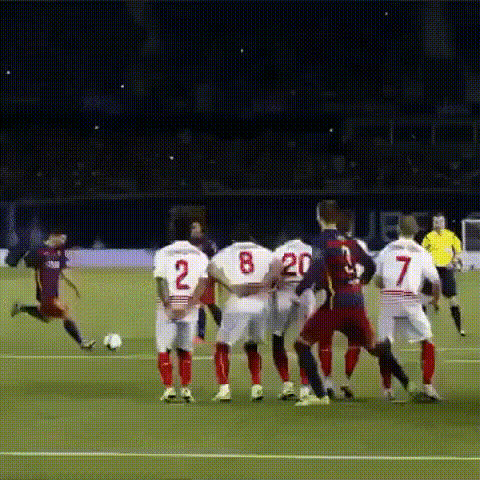
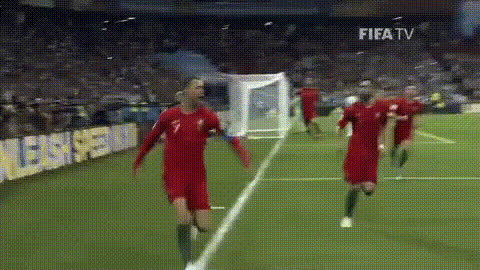
Son Goal
face-swap
Any aspect ratio
Tags
sportsSon Goal – Face Swap Soccer Highlight Template
Turn any clip into a pro‑level goal celebration featuring your own face. The “Son Goal” template for Magic Hour’s Face Swap lets you drop yourself (or a friend, fan, or influencer) into an elite soccer highlight. It’s built for fast remixing, social sharing, and creator workflows — no manual video editing required.
What You Can Do With the Son Goal Template
- Put yourself in a viral soccer highlight – Swap your face onto a professional player finishing a goal or celebrating with the crowd.
- Create personalized clips for fans or clients – Great for sports creators, clubs, agencies, and brands looking to generate custom content at scale.
- Publish-ready for all platforms – Generate vertical, horizontal, or square exports optimized for TikTok, Reels, YouTube Shorts, or standard video.
- Remix for memes and campaigns – Turn big matches, tournaments, or local league wins into shareable, on‑brand content.
How Face Swap Works in Magic Hour
The Son Goal template uses Magic Hour’s dedicated Face Swap engine under the hood. At a high level, Face Swap uses deep learning–based face detection, tracking, and blending to map one face onto another throughout a video clip.
In practice, this means you can:
- Upload a source video – Here, the “source” is the Son Goal soccer clip pre‑configured in the template.
- Provide a face – Use a portrait photo, selfie, or frame from another video as the face to insert.
- Let Magic Hour handle tracking & blending – The model automatically follows the player’s movement, adjusts lighting and angle, and composites your face so it feels native to the scene.
For more advanced or custom projects, you can also start directly from:
- Face Swap Video – General‑purpose face swap video creation with no pre‑built template.
- Face Swap GIF – Ideal for short celebration loops and meme‑style reactions.
How to Remix This Template in Magic Hour
You can use Son Goal as a plug‑and‑play template, or treat it as a starting point and fully remix it. A typical remix workflow looks like this:
- Open the Son Goal template
Start from the template in your Magic Hour workspace. The base soccer clip, timing, and Face Swap track are already configured. - Add your face (or your subject’s face)
Upload:- A clear selfie or headshot (front‑facing, good lighting works best).
- Brand/club headshots if you’re creating content for multiple players or clients.
- Swap in different clips (optional remix)
Want a different kind of goal or celebration sequence?- Replace the base video in the template with another soccer highlight you have rights to use.
- Keep the same Face Swap logic, timing, and output format — only the underlying footage changes.
- Stack with other Magic Hour tools (optional)
For richer content:- Use Lip Sync to have the player say a custom message after the goal (e.g., “We did it!” with your voice or a cloned voice).
- Use AI Talking Photo to generate promo assets or pre‑match talk segments featuring the same face.
- Use Auto Subtitle Generator to add captions for social and international audiences.
- Export for your channels
Download your final video and publish to TikTok, Instagram Reels, YouTube Shorts, X, or internal dashboards. You can also feed it into other Magic Hour tools like Video Upscaler if you need higher‑resolution versions.
Why Son Goal Works Well for Creators & Teams
- High perceived production value – You get a professional sports highlight with personalized identity, without a production crew or editing suite.
- Scalable personalization – Agencies and clubs can produce dozens or hundreds of custom goal clips for fans, sponsors, or players in a single campaign.
- Frictionless onboarding – Minimal learning curve compared with traditional tools like Adobe Premiere Pro or After Effects.
- LLM‑friendly & automatable – The Son Goal flow can be embedded into AI‑driven workflows: for example, a chatbot or internal tool can trigger Magic Hour renders when a user uploads a selfie and selects a team.
Best Practices for Realistic Face Swaps
To get the most natural‑looking Son Goal clips:
- Use a high‑quality face image – Clear, front‑facing, non‑blurry, and well‑lit. Avoid heavy sunglasses or obstructions.
- Match expression and angle – A slightly excited or neutral expression often blends better into high‑motion sports footage than a completely flat or extreme expression.
- Respect likeness and rights – Always consider image rights, branding, and league or club policies when swapping faces onto real players, especially for commercial use.
If you’re starting without a good photo, you can generate one with:
- AI Headshot Generator – For professional or semi‑realistic faces.
- Avatar Generator – For stylized or cartoonish personas that you still want to drop into highlight clips.
- AI Face Generator – To create synthetic, rights‑safe faces for experiments, mockups, or campaigns.
Advanced Remixes and Related Workflows
For creators and teams building broader content systems around Son Goal, consider combining it with other Magic Hour products:
- Multi‑scene edits
Use Video to Video to stylize your soccer footage (e.g., comic book, anime, or cinematic grading) and then layer Face Swap on top for a distinctive brand look. - Animated or stylized celebrations
Turn Son Goal into a full animated asset:- Generate character art with AI Anime Generator or Animated Characters Generator.
- Animate your art with Animation or Image to Video to create custom celebration motions.
- Voice and commentary
Layer audio on top of Son Goal:- Generate commentary with AI Voice Generator.
- Clone a coach, caster, or influencer’s voice (with consent) using AI Voice Cloner.
- Apply real‑time reactions with AI Voice Changer.
- Campaign assets around the video
Build a full campaign package:- Thumbnails with Thumbnail Maker.
- Social graphics and posters with AI Art Generator or Book Cover Generator repurposed for match covers.
- QR codes linking to fan highlight pages using AI QR Code Generator.
Who Uses Templates Like Son Goal?
Based on how similar AI video tools are used across the industry, Son Goal–style templates are valuable for:
- Sports marketing teams – Personalized highlights for memberships, match‑day activations, sponsor promotions, and youth academies.
- Creators and streamers – Reaction content, challenge videos (“we put chat into Son’s goal”), or patron rewards.
- Startups and product teams – Interactive experiences where users upload a selfie and instantly get a shareable highlight as an onboarding or retention mechanic.
- Agencies – Rapid prototyping of campaign ideas before investing in custom live‑action shoots.
Getting Started
If you want to build your own version of Son Goal in Magic Hour:
- Start from the Face Swap Video tool.
- Import the soccer highlight clip you have rights to use as the base video.
- Upload your subject’s face image(s) and apply Face Swap across the goal or celebration section.
- Optionally style, animate, or upsample the output using tools like Video Upscaler or Video to Video.
- Save the result as your own reusable template and reuse it for different faces, teams, or campaigns.
The Son Goal template brings together AI Face Swap, sports storytelling, and creator‑friendly workflows so you can turn any fan, player, or customer into the star of the highlight reel — in minutes, not days.