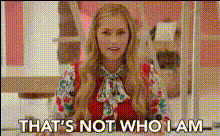
Barbieheimer Trailer

face-swap

1 clip
4 uses

Any aspect ratio

Tags

movies

Barbieheimer Trailer – Face Swap Video Template

Create your own “Barbieheimer” trailer by combining two of 2023’s biggest cultural moments into one cinematic mash‑up. This template uses Magic Hour’s AI Face Swap engine to put any face into a Barbie‑style fantasy world, an Oppenheimer‑style historical drama, or both—without complex video editing.

Whether you’re a creator, marketer, or startup founder testing concepts, this template gives you a fast way to prototype high‑impact, shareable video content inspired by the Barbie/Oppenheimer phenomenon.

What You Can Make With This Template

  • Barbieheimer parody trailers featuring yourself, your friends, your cast, or your customers
  • Social ads that contrast “light vs. dark” brand narratives in a single spot
  • Launch teasers or pitch videos that use the Barbieheimer meme to explain your product
  • Fan edits and meme content for TikTok, Reels, and YouTube Shorts

This template is built on Magic Hour’s Face Swap Video workflow, so you can swap faces directly on video clips instead of manually editing every frame.

Key Features

AI Face Swap for Video

The core of this template is Magic Hour’s AI video face swap technology:

  • Swap any face onto actors in your Barbie‑style or Oppenheimer‑style footage
  • Preserve expressions, lighting, and head movement for more realistic results
  • Use your own videos or remix existing trailer‑style footage

If you prefer shorter, looping content, you can also explore the dedicated Face Swap GIF tool for Barbieheimer reaction GIFs, banners, and email assets.

Cinematic Trailer Layout

The template is structured like a modern movie trailer, so you don’t need to plan every beat from scratch:

  • Opening hook shots to introduce Barbie‑world vs. Oppenheimer‑world
  • Alternating “bright” and “dark” scenes to build contrast and tension
  • Closing title card and call‑to‑action for campaigns, launches, or events

You can easily remix the structure: duplicate scenes, remove beats, or reorder moments to match your story.

Fully Customizable Look & Feel

  • Visuals: Replace any clip or image with your own footage, product shots, or AI‑generated scenes. For new imagery, use the AI Image Generator or AI Photo Generator to create Barbie‑like or 1940s‑style environments.
  • Titles & text: Add or edit trailer titles, character names, taglines, and end cards. For thumbnails and social covers, pair this with the Thumbnail Maker or Album Cover Generator.
  • Audio: Drop in soundtrack music, sound effects, and voiceovers to match your tone—playful, dramatic, or deadpan comedic.

Designed for Social & Growth

Barbieheimer became a global meme because it combines two radically different tones in one story. This template is built to help you do the same for your brand or content:

  • Cut vertical clips for TikTok, Reels, and Shorts
  • Export horizontal edits for YouTube and landing pages
  • Turn moments from the trailer into GIFs or memes via the AI GIF Generator or AI Meme Generator

Why Use a Barbieheimer Trailer for Your Brand or Project?

1. Fast Creative Testing

Use the Barbieheimer contrast—serious vs. playful—to A/B test different brand narratives in a single asset. This is especially useful for:

  • Early‑stage startups explaining a “boring” category in a fun way
  • Marketers reframing complex products with pop‑culture‑driven storytelling
  • Creators experimenting with new persona combinations or formats

2. Higher Engagement & Shareability

Trailer‑style edits with recognizable visual references tend to perform strongly on short‑form platforms. The face‑swap twist creates instant “pause and replay” value, which is ideal for TikTok and Instagram.

3. Lightweight Production, Studio‑Style Output

You don’t need sets, costumes, or a film crew. Record simple footage on your phone, then:

How to Remix This Template in Magic Hour

Step 1 – Start from Face Swap Video

Begin by opening the Face Swap Video creator. This is the foundation for the Barbieheimer Trailer template.

  • Upload or select the base video clips you want to use (Barbie‑style scenes, Oppenheimer‑style scenes, or your own footage).
  • Prepare the face images you want to swap in (founders, characters, influencers, clients, or yourself).

Step 2 – Build Your Barbie vs. Oppenheimer Contrast

To recreate the Barbieheimer feel:

Step 3 – Apply Face Swaps

Once your base scenes are chosen:

  • Use the Face Swap tool to place your chosen faces onto actors in each scene.
  • Experiment with swapping the same person into both “worlds” to visually convey contrast (e.g., founder as a glitter‑pink CEO vs. serious scientist).
  • For stills or thumbnails, you can also use AI Face Generator or AI Headshot Generator to create clean, expressive faces to swap in.

Step 4 – Add Voice, Dialogue, and Lip Sync (Optional)

To push the illusion further, you can make your Barbieheimer characters talk:

Step 5 – Polish, Remix, and Export

  • Refine pacing by mixing short, punchy Barbie clips with longer, tense Oppenheimer‑style shots.
  • Generate additional B‑roll or animated inserts using:
  • Clean up distracting elements in shots with Remove Object from Photo or Watermark Remover when appropriate for your licensed assets.
  • Export your finished trailer in the aspect ratios you need, then repurpose segments as shorts, GIFs, thumbnails, and memes.

Advanced Use Cases for Creators and Teams

  • Pitch & fundraising videos: Recast your founding team as Barbieheimer‑style characters to illustrate your market or risk profile visually.
  • Product launches: Show “before” and “after” worlds (chaos vs. order, analog vs. digital) using the Barbie vs. Oppenheimer visual metaphor.
  • Community & UGC campaigns: Invite your users to submit photos, then generate personalized Barbieheimer trailers or GIFs with AI Selfie Generator and AI GIF Generator.
  • Brand worlds & characters: Use the AI Character Generator and AI Anime Generator to design recurring characters that appear in both “barbie” and “oppenheimer” visual modes across your content.

Ethics, Rights, and Best Practices

When using face swap and generative tools, keep in mind:

  • Only use faces, voices, and likenesses you have rights or permission to use.
  • Avoid misleading edits in sensitive, political, or news contexts.
  • Disclose AI‑generated content when relevant for your audience or platform guidelines.

Remix This Template for Your Next Experiment

The Barbieheimer Trailer template is a fast, flexible starting point for any “two worlds collide” story—product vs. pain point, old world vs. new, serious vs. playful. Start from the Face Swap Video creator, plug in your own faces and footage, and iterate.

From there, layer in tools like Face Swap, AI Voice Generator, Lip Sync, AI Meme Generator, and Auto Subtitle Generator to turn a single concept into a full campaign of Barbieheimer‑inspired assets.

More Like This