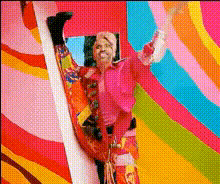
"You're so beautiful" Barbie Edit

face-swap

1 clip
2 uses

Any aspect ratio

Tags

movies

“You’re So Beautiful” Barbie Face Swap Edit

Turn the Barbie Movie’s Most Emotional Moment Into a Personalized Edit

The “You’re so beautiful” Barbie Edit lets you recreate one of the most iconic scenes from the 2023 Barbie movie—the moment when Barbie looks at an older woman on a bench and says, “You’re so beautiful.” Using Magic Hour’s AI Face Swap technology, you can seamlessly put yourself, a friend, a client, or a character into that scene and produce a polished, share‑ready clip in minutes.

This template is ideal for creators, marketers, and founders who want to:

  • Make heartfelt TikTok, Reels, or YouTube Shorts around beauty, aging, and self‑acceptance
  • Create personalized edits for clients, fans, or community members
  • Run campaigns or UGC contests centered on confidence, nostalgia, or female empowerment
  • Test AI‑native storytelling concepts at low cost

What Is Face Swap in Magic Hour?

Magic Hour’s AI Face Swap uses deep learning–based face reenactment to replace the face in a video while preserving:

  • Head pose and expressions
  • Lighting and shading
  • Original motion and timing

This is not a simple filter. Under the hood, models similar to those described in papers like “First Order Motion Model for Image Animation” (Siarohin et al., NeurIPS 2019) learn how faces move and then transfer that motion to your source face. The result: natural‑looking swaps that hold up in close‑ups and on social platforms.

You can explore Face Swap across formats with:

About the “You’re so beautiful” Barbie Template

This template is built around the emotional bench scene from Greta Gerwig’s 2023 Barbie, widely discussed in think pieces from outlets like The New York Times, Vox, and Time for its quiet, sincere take on aging and beauty. Social media has turned that single line—“You’re so beautiful”—into a meme, a sound, and a format for tribute edits.

The Magic Hour template captures that moment and makes it editable: you can place a new face into Barbie’s role (or the other character) and instantly reframe the scene as a:

  • Birthday or milestone tribute
  • Mother’s Day or Father’s Day message
  • Brand video about real beauty or inclusive fashion
  • Creator‑fan appreciation clip

Key Features

  • High‑quality AI Face Swap – Preserve expressions, mood, and timing while replacing the face in the shot.
  • Platform‑agnostic aspect ratios – Use the template for vertical (TikTok, Reels, Shorts), horizontal (YouTube), or square (feeds, ads) formats.
  • Nostalgia‑driven storytelling – Leverage a moment audiences already recognize to increase watch time, comments, and shares.
  • Creator‑ready for campaigns – Ideal for UGC prompts (“Show someone in your life they’re beautiful”), community activations, or brand storytelling.

Lore, Context, and Why This Scene Works

The bench scene in Barbie has been widely interpreted as the emotional heart of the film. Commentators and viewers note that:

  • It’s an explicit rejection of narrow, youth‑only beauty standards.
  • It marks Barbie’s shift from “perfect doll” to someone who can see and affirm real people.
  • It resonates with women and older audiences who rarely see themselves framed this tenderly on screen.

For creators and marketers, that makes it a powerful format for:

  • Brand alignment – Beauty, wellness, fashion, and longevity brands can tie messaging to authentic, intergenerational beauty.
  • Community engagement – Invite followers to swap themselves or loved ones into the scene and share why they picked that person.
  • Thoughtful memes – Use the line as a reaction format that’s sincere, not snarky.

How to Remix This Template in Magic Hour

You can either use this template directly (if it’s in your Magic Hour library) or recreate your own “You’re so beautiful” style edit with the core tools. Here’s a practical workflow you can adapt:

1. Get Your Source Clip Ready

  • Start from the Barbie‑inspired template if it’s available in your workspace.
  • Or import a similar emotional close‑up or two‑shot from your own footage, stock, or UGC.
  • Keep the framing simple: strong facial visibility makes swaps more realistic.

2. Upload the Face You Want to Swap In

  • Choose a clear, front‑facing photo or video of the person you want to appear in the scene.
  • For brand or campaign work, gather a small set of reference faces (customers, ambassadors, teammates) so you can quickly produce multiple versions.

3. Create the Face‑Swap Edit

  • Open the Face Swap Video tool.
  • Use your Barbie‑style scene as the target video.
  • Apply the chosen face as the source.
  • Export and review the swap; refine your source image if needed for more natural expressions.

4. Enhance the Scene (Optional)

For more advanced or custom versions, combine Face Swap with other Magic Hour tools:

  • AI Image Editor – Adjust background colors to lean further into the Barbie pink aesthetic or soften the environment.
  • Image to Video – Animate a still frame from the scene to create subtle camera movement or variations.
  • Video‑to‑Video templates – Restyle the entire clip (e.g., painterly look, anime vibe) while keeping the same performance.
  • Animation templates or Animated Characters Generator – Turn the moment into a stylized animated sequence for brands that avoid direct film references.
  • AI Talking Photo – For static tributes (e.g., for someone who doesn’t like being filmed), create a talking portrait delivering a similar line.

5. Add Audio, Context, and Story

  • Pair the scene with the “You’re so beautiful” concept by using voiceover, subtitles, or on‑screen text.
  • Use Auto Subtitle Generator to add burned‑in captions that boost retention on muted feeds.
  • If you want a fully synthetic performance, combine the video with AI Voice Generator or AI Voice Cloner to match tone and emotion.

6. Export for the Platforms That Matter

  • Export versions optimized for TikTok/Reels/Shorts, YouTube, or paid social.
  • For higher‑end campaigns, run the final clip through the Video Upscaler to sharpen details.
  • Use the AI Image Upscaler if you’re also cutting stills for thumbnails or ads.

Ideas and Use Cases for Creators and Teams

  • Influencers & creators – Build a recurring series where you place community members into the scene and talk about what makes them “so beautiful” beyond looks.
  • Beauty & fashion brands – Turn customer stories into AI‑powered short films that celebrate real faces and ages.
  • Startups & employers – Create culture videos honoring team members, mentors, or early supporters.
  • Agencies – Prototype campaign concepts fast, then hand off shortlisted directions to production with clear visual references.

Related Magic Hour Tools Worth Exploring

To build a complete Barbie‑inspired or beauty‑focused content toolkit, consider pairing this template with:

Why Use Magic Hour for Face Swap Barbie‑Style Edits?

  • Creator‑grade quality – Outputs that look good on modern phones and large displays.
  • Speed – Quickly test many faces and story variations for campaigns or content calendars.
  • Flexibility – Combine Face Swap with lip sync, animation, and video‑to‑video tools as your ideas grow.
  • Scalability – Produce dozens or hundreds of personalized edits (e.g., for top customers or community members) without manual VFX work.

Start Your “You’re So Beautiful” Edit

Use the Barbie‑inspired “You’re so beautiful” template as‑is, or remix the idea with your own footage and brand language. With Magic Hour’s Face Swap Video and related tools, you can move from concept to emotionally resonant, on‑brand content in a single workflow—and iterate as quickly as your audience responds.

More Like This

Insufficient credits