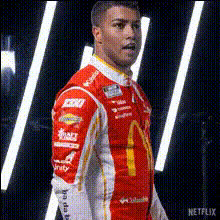
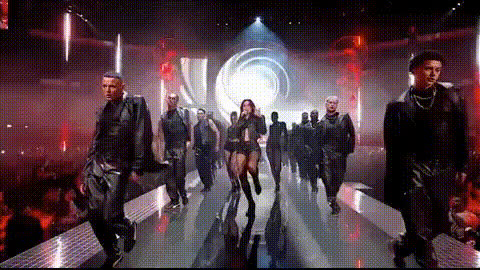
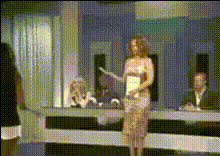
Male Fashion Model on Runway

face-swap

1 clip
67 uses

Any aspect ratio

Male Fashion Model Runway – Face Swap Video Template

Create high-fashion runway clips in minutes by putting your face (or a client’s face) onto a professional male model. This template uses Magic Hour’s AI Face Swap technology to generate runway videos that look polished enough for campaigns, lookbooks, socials, and pitch decks—without booking a shoot.

What This Template Is For

This “Male Fashion Model on Runway” template is built for:

  • Fashion brands & agencies – Visualize new collections on different faces before physical shoots.
  • Creators & influencers – Drop yourself onto a runway model to promote outfits, collaborations, or UGC campaigns.
  • Startups & marketers – Test creative concepts, ad variations, and personas quickly for paid and organic campaigns.
  • Styling & wardrobe teams – Present looks to clients with a consistent runway model and interchangeable faces.

Key Features of the Runway Template

  • Realistic male runway walk – The base video is designed around standard menswear runway technique: controlled stride, shoulders relaxed, neutral expression, and clear garment visibility. This aligns with guidance from fashion schools and industry coaches (e.g., models typically maintain a straight, grounded walk rather than the hip-driven walk common in womenswear shows).
  • Face Swap built in – The template is powered by Magic Hour’s AI Face Swap, so you can:
    • Swap in your own face, a client’s face, or a fictional character.
    • Generate multiple variations quickly for A/B testing or casting ideas.
    • Keep clothing, lighting, and movement consistent while only changing the identity.
  • High-fashion runway environment – The scene is framed like a professional show: long catwalk, strong frontal lighting, and multiple pose points to highlight silhouettes, cuts, and accessories.
  • Dynamic posing moments – The model performs key runway checkpoints:
    • Front-of-runway “hero” pose for thumbnails and ads.
    • Midpoint micro-poses that show details (jackets, tailoring, accessories).
    • Turns and exits that make the clip feel like a full runway pass, not just a static walk.
  • Optimized for short-form video – The motion and pacing are ideal for TikTok, Instagram Reels, YouTube Shorts, and paid social cuts. You can also combine this with Magic Hour’s Video Upscaler for higher-resolution export.

How to Remix This Template in Magic Hour

You don’t need to start from scratch. You can quickly create your own version by remixing the existing template inside Magic Hour.

  1. Start with a Face Swap video workflow
    Go to the Face Swap Video creator. This gives you a video-based pipeline where you can apply face swaps to existing or templated footage.
  2. Select or upload a runway-style base clip
    • Use the “Male Fashion Model on Runway” base provided by this template, or
    • Upload your own runway video (e.g., a model walking towards camera in a straight line).
    For best results, choose footage where:
    • The model’s face is mostly front-facing or in smooth profile turns.
    • Lighting is even (no harsh shadows across the face).
    • The walk is steady and not heavily obstructed by hands or props.
  3. Add the face you want to swap in
    Prepare clear reference images:
    • Use sharp, well-lit photos with a neutral or slight expression.
    • Avoid heavy occlusions (sunglasses, hands blocking the face).
    • Include a face that roughly matches the angle and lighting of the runway footage if possible.
    Then upload your chosen face in the Face Swap Video flow.
  4. Preview and iterate
    Generate a preview, check:
    • How natural the face looks during walking and turning.
    • Whether expressions and head movements stay consistent.
    • If you need a different source photo (e.g., less extreme expression, better lighting).
  5. Export and repurpose
    Once satisfied:
    • Export for ads, lookbooks, portfolio reels, or pitch decks.
    • Create multiple variants by swapping different faces into the same base runway clip.
    • Optionally enhance the final result with:

Best Practices for Realistic Runway Face Swaps

To get production-quality results from this template and Magic Hour’s Face Swap, keep these guidelines in mind:

  • Use high-quality face references – Higher-resolution, front-facing photos with balanced light help the model infer skin texture and facial structure more accurately.
  • Match skin tone and lighting where possible – While the AI adjusts many details automatically, matching general tone and direction of light reduces artifacts and makes the swap more believable.
  • Avoid extreme expressions for base clips – Neutral or subtly expressive faces tend to transfer more cleanly than exaggerated expressions, especially over fast motion like turns.
  • Leverage multiple variants – For casting, pitching, or ads, create several persona versions of the same walk. This is particularly useful for:
    • Testing inclusive casting directions.
    • Localizing campaigns for different markets.
    • Showing clients “what this look would be like on you.”

Runway Walk Fundamentals Embedded in the Template

This template is structured around standard male runway walk principles used in fashion shows and model training:

  • Controlled, grounded stride – Feet land closer to hip-width rather than crossing aggressively, which is common in womenswear walks. This emphasizes stability and the garment’s silhouette.
  • Neutral upper body – Shoulders stay relaxed, with minimal arm swing, to keep focus on the clothes, tailoring, and accessories.
  • Strategic midpoint pose – A pause or micro-pose near the front of the runway allows for hero frames, thumbnails, and key marketing snapshots.
  • Smooth turns and exits – Clean turns make the video feel like a complete runway sequence and keep face tracking stable for more convincing swaps.

If you’re using the template as a reference for recording your own runway clip to later run through Face Swap Video, follow these same principles when filming.

Advanced Remix Ideas

Once you’re comfortable with the base template, you can combine it with other Magic Hour tools for more advanced workflows:

  • Create stylized campaign concepts
    Generate stills with the AI Image Generator or AI Art Generator, then:
    • Turn them into motion using Image to Video.
    • Face-swap your model into those stylized looks for concept decks.
  • Build character-driven runway content
    Use the AI Character Generator to define fictional personas (e.g., campaign mascots, virtual influencers), then map those faces onto this runway template for cohesive brand storytelling.
  • Turn runways into talking lookbooks
    After generating your runway video, use:
  • Mix static shots with motion
    Generate editorial-style stills using: Then intercut those with your face-swapped runway sequence to create full campaign edits.

Why Use Magic Hour for Fashion & Runway Content

Magic Hour is designed for creators and teams who care about both speed and production value:

  • Faster experimentation – Test faces, aesthetics, and concepts in hours instead of organizing costly test shoots.
  • Consistent visual language – Keep the same base runway but cycle through faces, outfits (via other tools such as AI Clothes Changer), and styles to maintain brand coherence.
  • Scalable content for multi-channel campaigns – Use the same template to create assets for organic socials, ads, websites, and investor decks.

Getting Started

To build your own “Male Fashion Model on Runway” video:

  1. Open the Face Swap Video creator.
  2. Choose the runway template or import your own runway clip.
  3. Upload the face (or faces) you want to feature.
  4. Generate, review, and export your final video for your channels.

From there, you can continuously remix: swap in new faces for different markets, run variants for performance marketing, or use the same base walk as a core asset in your brand’s visual system.

More Like This

Insufficient credits