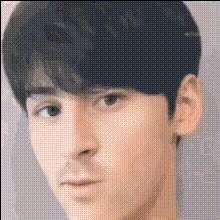
Fashionable Men Montage

face-swap

1 clip
12 uses

Any aspect ratio

Fashionable Men Montage – Face Swap Video Template for Modern Fashion Brands

Create high-impact menswear videos in minutes with the Fashionable Men Montage template. Built on Magic Hour’s AI-powered Face Swap Video workflow, this template lets you instantly swap faces on male fashion models, generate on-brand video content, and test creative concepts without reshoots or expensive production.

What This Template Is Best For

  • Menswear lookbooks and seasonal drops
  • Paid social ads (Instagram, TikTok, YouTube, Snapchat)
  • UGC-style fashion content for DTC brands
  • Influencer and creator collaborations at scale
  • Pitch decks, investor updates, and internal creative tests

Use it as a ready-made video, or remix it inside Magic Hour to build your own reusable menswear face-swap system.

Key Features

AI Face Swap for Fashion Creators

This template is powered by Magic Hour’s production-grade AI Face Swap engine and the dedicated Face Swap Video template flow. You can:

  • Swap the model’s face with your own, a creator, an influencer, or multiple talent options for rapid A/B testing.
  • Localize campaigns by generating region-specific talent while keeping styling, motion, and framing identical.
  • Repurpose one shoot into dozens of variations for different audiences, personas, or brands.

All processing happens within Magic Hour, so there’s no need to chain external tools or editors.

Fully Customizable, Remixable Template

Every part of the Fashionable Men Montage is editable. Once you open it in Magic Hour, you can remix it into your own template by:

  • Swapping in your campaign footage or product shots (streetwear, tailoring, athleisure, accessories).
  • Reordering or duplicating scenes to match your brand’s storytelling—from quick “fit checks” to cinematic editorials.
  • Changing colors, typography, and layout to follow your design system.
  • Adding branded lower thirds, pricing callouts, or collection names.

After your first pass, save your version and reuse it as a private internal template for future drops.

Ready for Social, Ads, and E‑commerce

The montage structure is designed for high retention across short-form and paid channels. It works well alongside other Magic Hour tools:

  • Use Video Upscaler to prepare export-ready masters for large screens and paid placements.
  • Generate on-brand stills with AI Image Generator or AI Photo Generator and drop them into the montage as cutaways.
  • Turn high-res product imagery into motion with Image to Video, then combine those clips with your face-swapped scenes.

Complementary AI Tools for Fashion Content

For richer menswear campaigns, pair this template with:

  • AI Clothes Changer – rapidly test outfits, colorways, and styling options on a single model before finalizing your montage.
  • AI Face Editor – fine-tune facial details and aesthetics across still images used in your video.
  • AI Outfit Generator – ideate new looks or moodboard concepts, then translate them into real-world shots for the montage.
  • AI Headshot Generator – generate polished male portraits to frame your models or creative team.

How to Remix This Template in Magic Hour

You can use this template as-is, or treat it as a starting point and build your own reusable fashion system. A typical workflow:

  1. Open the Face Swap Video template
    Start from Face Swap Video and select the Fashionable Men Montage layout. This loads the pre-built sequence of shots, transitions, and placeholders for your models.
  2. Import your footage and images
    Add:
    • Runway or studio clips of male models.
    • Close-ups of footwear, accessories, and fabric details.
    • Any brand, campaign, or store footage you want to highlight.
    If you’re missing assets, quickly generate visuals with:
  3. Apply Face Swap to your chosen shots
    Use the built-in face swap options to:
    • Replace the default model with brand ambassadors, your own team, or creators.
    • Create multiple versions of the montage with different faces for targeted cohorts (e.g., region-specific or interest-based audiences).
    For GIF-based campaigns or email embeds, you can also experiment with Face Swap GIF.
  4. Customize copy, pacing, and branding
    Within the montage:
    • Update on-screen text with collection names, price points, or drop dates.
    • Align colors and typography with your brand guidelines.
    • Adjust clip pacing to match the music and highlight key hero looks.
    If you’re combining static assets and motion, consider using Image Background Remover or Remove Object from Photo to clean up product imagery before dropping it into the edit.
  5. Add music, VO, and narrative elements
    For performance-driven content:
  6. Export and repurpose
    Once your montage feels right, export a master and then:
    • Create platform-specific cuts (shorter edits for TikTok, more detailed for YouTube and site banners).
    • Use Auto Subtitle Generator for sound-off viewers on social feeds.
    • Upscale for larger placements with Video Upscaler.

Strategic Use Cases for Brands and Builders

For DTC Fashion and Retail Brands

  • Test multiple male “avatars” against the same outfits to see which creative converts best.
  • Run rapid iteration on ads without re-booking models or studios.
  • Localize campaigns with diverse talent while keeping styling, art direction, and pacing consistent.

For Creators and Agencies

  • Offer clients face-swapped concept previews before a full production shoot.
  • Keep a private library of remixable menswear montage templates in Magic Hour.
  • Generate pitch visuals using AI Fashion Generator and turn them into motion deliverables with this template.

For Startups and Product Teams

  • Demo fashion-related products (marketplaces, rental apps, styling apps) with realistic, on-brand video without formal shoots.
  • Produce quick experiments for landing pages, onboarding flows, or product tours using the same base montage.

Advanced Creative Ideas

  • Persona testing: Build 3–5 face-swapped versions of the same video to test which model archetype resonates more with each audience segment.
  • Character-driven campaigns: Use AI Character Generator or Animated Characters Generator to design stylized male characters, then mirror their styling in real footage.
  • Brand universes: Combine this montage with thematic assets from tools like AI Art Generator or AI Background Generator to establish a strong visual world around your menswear line.

Why Use Magic Hour for Fashion Face Swap?

  • End-to-end workflow: From AI image generation to face swap, voice, and video export, Magic Hour keeps everything in one environment for faster iteration.
  • Template-first approach: Start from proven structures like Face Swap Video, Video to Video, Animation, or Lip Sync and adapt them instead of building from scratch.
  • Scalability: Once your Fashionable Men Montage is dialed in, you can clone it for new seasons, collaborations, and geos with minimal changes.

Get Started

Open the Face Swap Video creator, load the Fashionable Men Montage structure, and start swapping faces, updating outfits, and refining your storytelling. In a single session, you can go from raw clips and product shots to a polished menswear montage ready for social, ads, and your e‑commerce storefront.

More Like This