Mcgregor Aldo Press Conference
face-swap
Any aspect ratio
Tags
sportsMcGregor vs Aldo Press Conference Face Swap Template
Overview
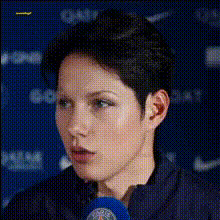
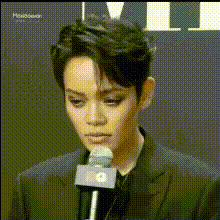
Turn one of MMA’s most iconic press conferences into a custom meme, reaction, or gaming highlight. This template uses Magic Hour’s AI Face Swap to put you and your friends into the Conor McGregor vs José Aldo press conference, creating instantly shareable clips for social, streams, and communities.
You can remix this template directly in Magic Hour by starting from any Face Swap Video project, swapping in your own faces and footage while keeping the same “intense press conference” vibe.
What This Template Is
- A short, high-energy press conference clip styled around McGregor vs Aldo, ready for AI face swapping.
- Optimized for memes, callouts, gaming victory announcements, reaction videos, and promos.
- Fully remixable: change faces, context, and distribution channel while reusing the same basic layout and pacing.
Why This Moment Works So Well
The McGregor–Aldo rivalry is one of the most recognizable storylines in modern MMA. Their 2015 UFC 189 World Tour press conferences featured intense staredowns, trash talk, and dramatic theatrics that now circulate widely as meme formats. McGregor’s 13‑second knockout of Aldo at UFC 194 (December 12, 2015) is one of the fastest championship finishes in UFC history, and post‑fight clips are still heavily reused in highlight packs and social edits.
That combination—high stakes, clear characters, and big emotions—makes this scenario ideal for AI face swap content: viewers recognize the scene instantly, and your custom faces make it fresh.
Use Cases for Creators, Marketers & Builders
- Gaming creators & streamers: Announce a big win, tournament result, or rivalry with another player by putting both of your faces onto the fighters.
- Startups & product teams: Turn McGregor vs Aldo into a playful metaphor for “us vs the status quo,” feature launches, or internal shout‑outs.
- Community managers: Create inside jokes for Discord/Slack communities, esports teams, or DAOs.
- Social media marketers: Produce fast, recognizable meme edits for TikTok, Instagram Reels, YouTube Shorts, or X.
- Influencers & personalities: Drop callout videos, playful “beef” clips, or collab promos that feel big but take minutes to produce.
How to Remix This Template in Magic Hour
You can build your own version of this template from scratch or by adapting your existing assets. A typical workflow:
-
Start with Face Swap Video
Open Face Swap Video. Upload or select a press‑conference‑style clip (podium, interview, face‑off, or even your own recording) as the base video. -
Add your faces
Upload photos of yourself, friends, teammates, or characters. Magic Hour’s AI Face Generator can also help you create synthetic faces if you don’t want to use real people. -
Map faces to the “fighters”
Assign one face to each of the two main characters in the clip. For meme formats, use contrasting personalities (e.g., “me vs Monday,” “our startup vs legacy software,” “chat vs streamer”). -
Refine the visuals (optional)
Before or after swapping, you can tweak images or thumbnails with:- AI Image Editor to modify outfits, colors, or props.
- AI Image Upscaler or Unblur Image to clean up low‑res assets.
- Image Background Remover or Remove Object from Photo for cleaner composites.
-
Export and repurpose
Once rendered, you can:- Turn the clip into a GIF using the AI GIF Generator.
- Create a short talking response or follow‑up with AI Talking Photo.
- Generate platform‑ready thumbnails via the Thumbnail Maker.
- Add subtitles for social feeds using the Auto Subtitle Generator.
Advanced Remixes & Variations
For teams and creators who want to push this template further:
- “Press Conference + Lip Sync” combo
Take your rendered face‑swapped clip and run it through Lip Sync to match the mouth movements to your own script, brand slogan, or a trending sound. - From static art to press conference video
Design stylized “fighter posters” with AI Image Generator, then convert them into motion using Image to Video and finally add faces with Face Swap. - Video-to-Video restyle
Use Video-to-Video to restyle the press conference into anime, comic book, or dark fantasy aesthetics, then apply face swap on top for stylized MMA‑style edits. - Animated characters instead of real fighters
Generate stylized fighters with Animated Characters Generator or AI Anime Generator, animate them via Image to Video, and then run a face swap pass. - Reaction, meme & format libraries
Spin off multiple formats: reaction memes via the AI Meme Generator, alt‑universe edits with Gender Swap, or brand‑specific variants using AI Logo Generator for on‑screen branding.
Best Practices for High‑Impact Face Swap Videos
- Use clean, frontal face photos for best swap quality—good lighting and minimal occlusions (no heavy shadows or large sunglasses).
- Match emotion and angle between your input faces and the target video where possible for more natural results.
- Keep clips short and punchy (6–20 seconds) for TikTok, Reels, and Shorts. The McGregor–Aldo press conference format works well as a quick “punchline” rather than a long narrative.
- Respect likeness and rights: when using public figures or third‑party IP, make sure your usage complies with applicable laws, platform policies, and any licensing constraints.
Related Magic Hour Tools You Might Use
- AI Voice Generator and AI Voice Cloner to give your “fighter” a matching voiceover.
- Text-to-Video to generate entirely synthetic “press conferences” from a written prompt.
- Face Swap GIF for looping, lightweight reaction content.
- Video Upscaler to enhance older, low‑resolution clips.
Summary
The McGregor vs Aldo Press Conference Face Swap template is a fast way for creators, marketers, and builders to turn a globally recognizable MMA moment into custom, on‑brand content. By combining Face Swap Video with tools like Lip Sync, Video-to-Video, and AI GIF Generator, you can build an entire ecosystem of press‑conference‑style memes, reactions, and announcements from a single core template—all inside Magic Hour.